Welcome to our first monthly product update of 2026.
This month brings a significant set of improvements to visitor management, along with several booking enhancements designed to make everyday workflows smoother for your teams.
It's also been three months since we launched our new responsive and accessible web application. The feedback has been fantastic, and we want to say a genuine thank you to everyone who took the time to share their thoughts. It really does make a difference.
As an administrator or key contact, take a few minutes to review the updates below. If you'd like to know more about anything covered here, your Customer Success Manager is happy to help.

So, whats in this email:
Booking and search experience
We've continued to improve our accessible booking web application. Here's what's new.
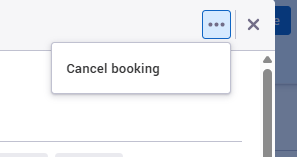
Three-dot menu in the booking panel
A new menu at the top of the booking panel makes it easier to manage bookings from any view, including the floorplan. The menu only shows the actions available to that user. Standard users can cancel their own bookings. Users with higher permissions can cancel, approve, or reject others' bookings too.
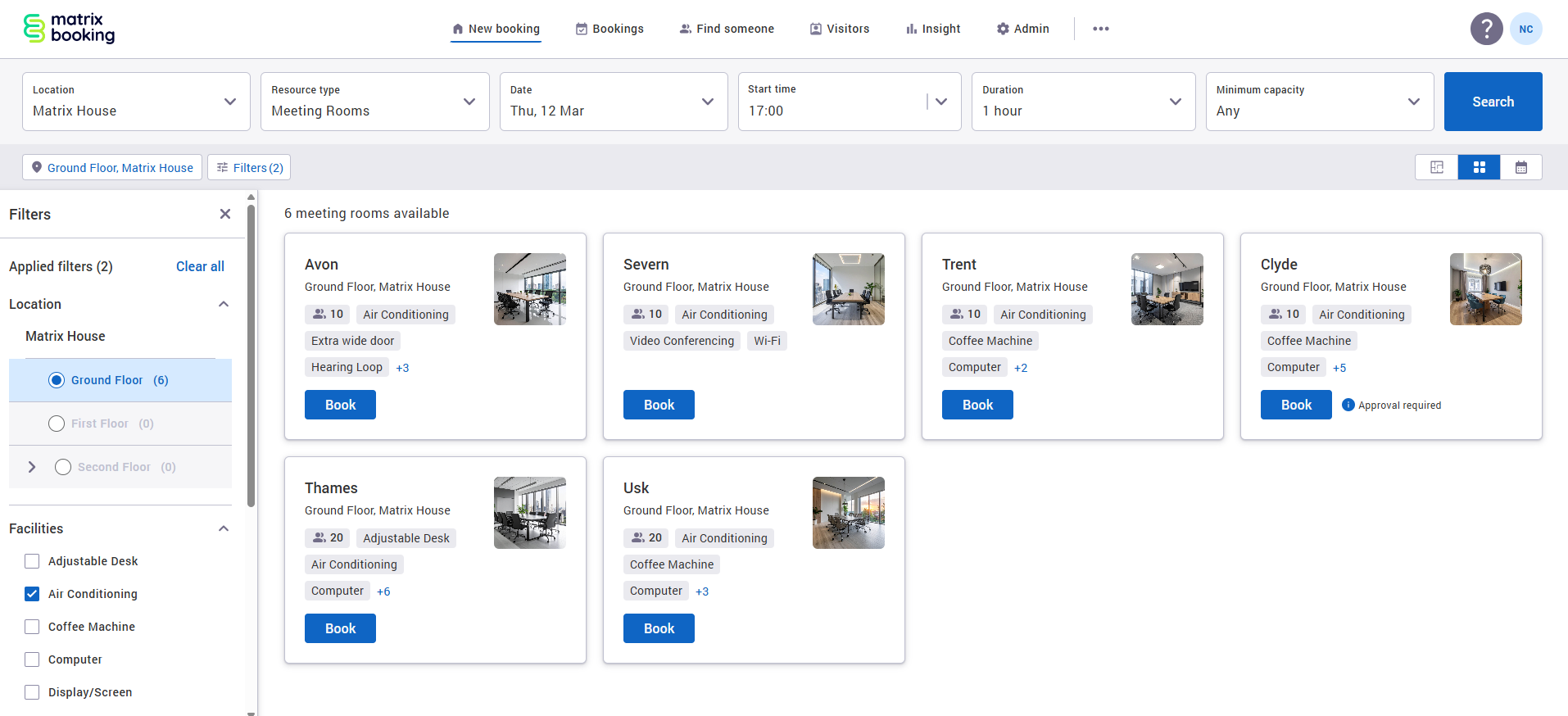
Filter panel back on the left
Following customer feedback, the filter panel has returned to the left-hand side of the search results and bookings views on desktop. Filters now apply instantly, without needing to open a pop-up.
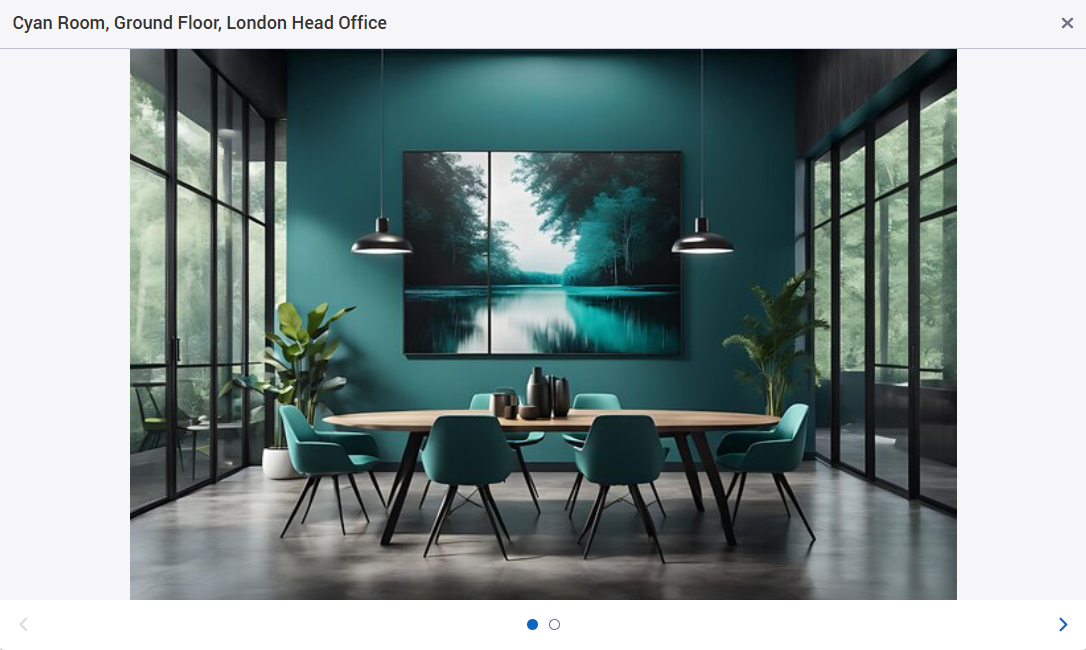
View images in full screen
You can now click on any location or resource image to view it full screen. This includes images in the Site details section and within the booking panel. Where there are multiple images, scroll through them using the carousel.
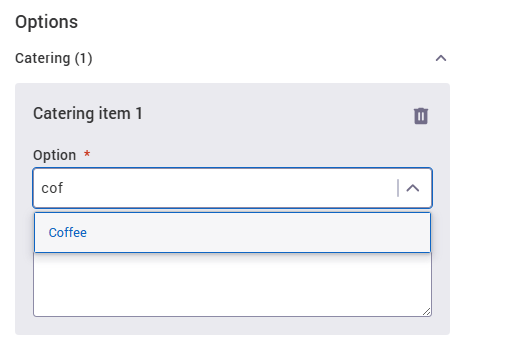
Search for cost codes and booking options
Finding the right cost code or booking option from a long list is now much easier. A new text search has been added to the dropdown so users can type and select quickly.
Resource alerts on unavailable resources
When a resource on the floorplan is unavailable, any alert added to that resource will now be visible. Users can see exactly why a space isn't available before they look elsewhere.
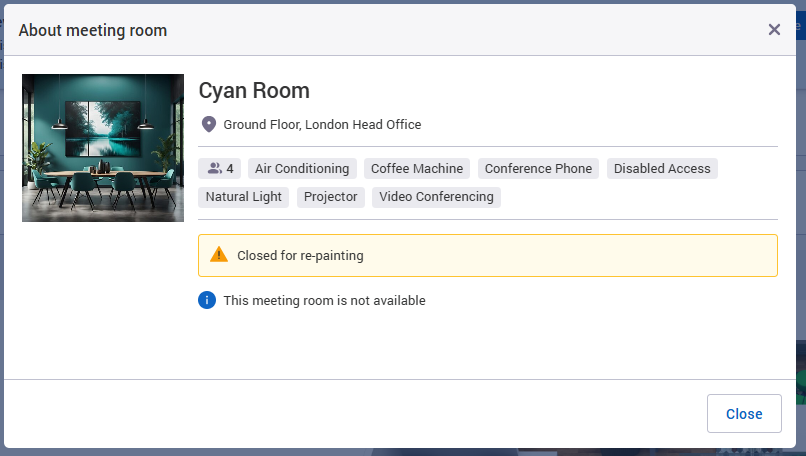
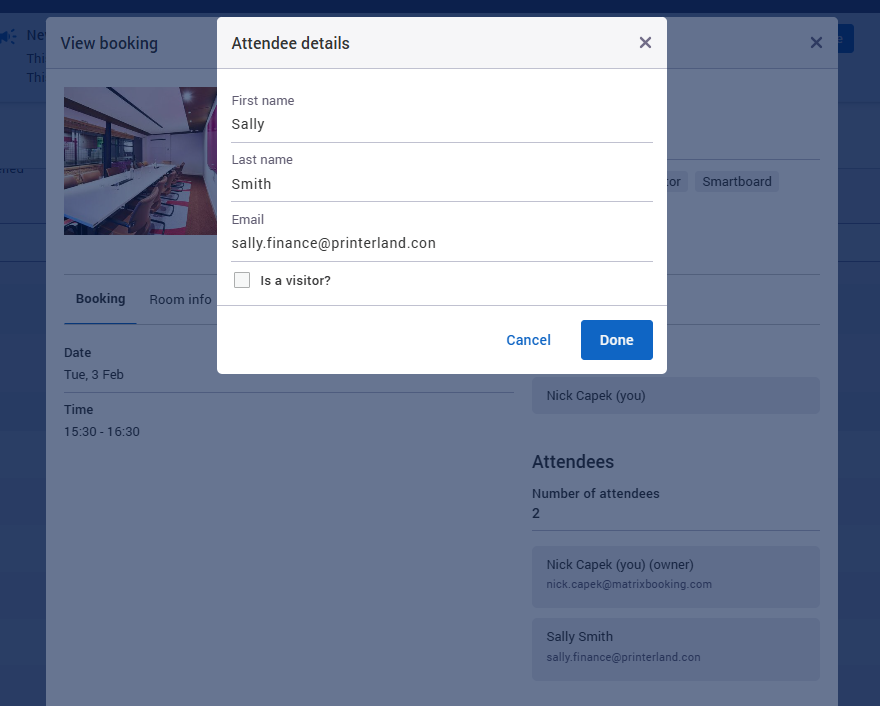
View attendee details on past bookings
When viewing a past booking or one you can't edit, you can now click on attendee names to see their full details.
More precise location picker for printable schedules
The location picker on the printable schedules page has been updated. Users can now search and select individual rooms, not just buildings or floors.
Visitor management: reception sharing improvements
We’ve enhanced multi-organisation visitor management to create a smoother experience for both sharer and sharee organisations. Here's what's new.
Smoother visitor search and creation
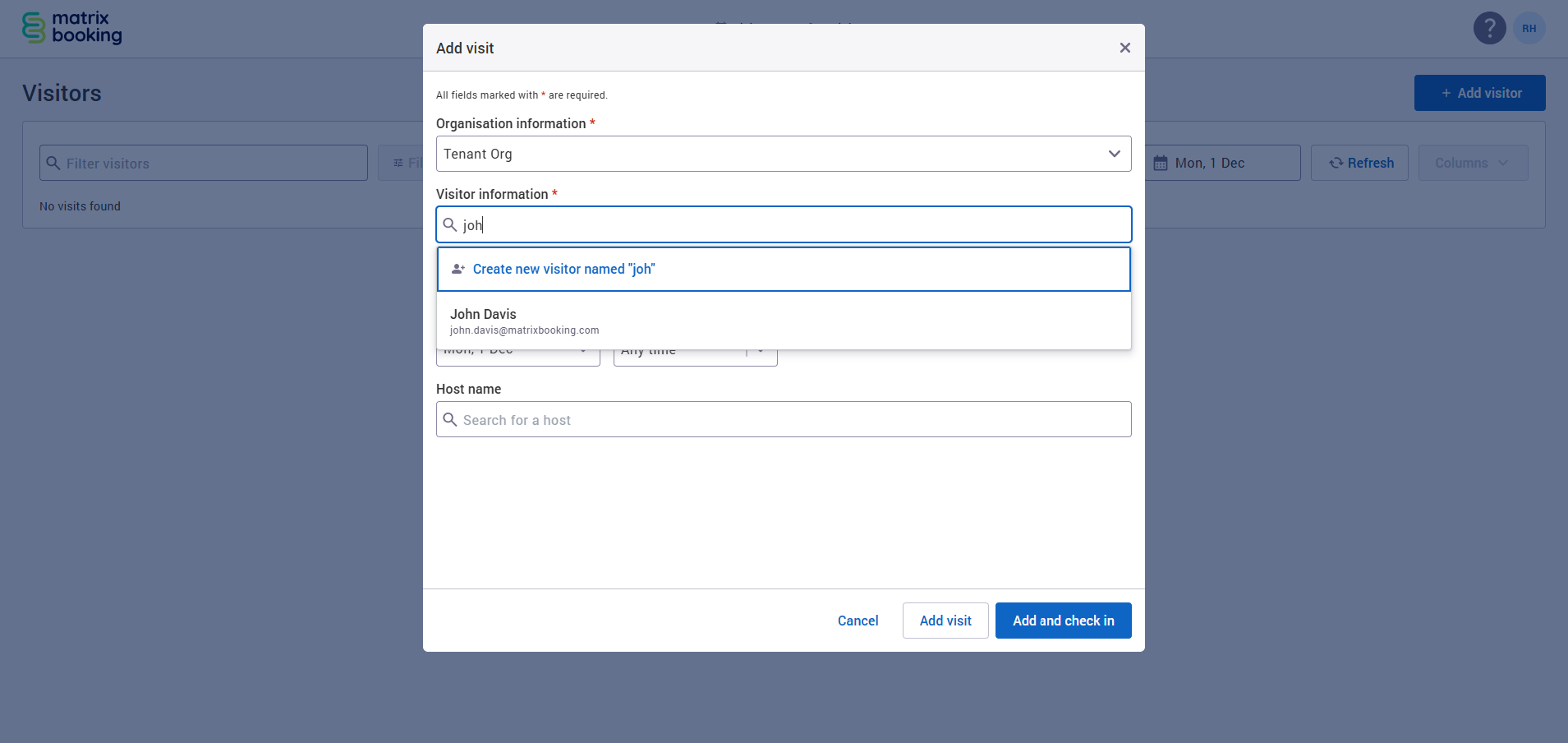
Reception teams can now search for hosts and internal or external guests within a tenant organisation.
If the visitor cannot be found, a receptionist can create a new external visitor. This person is then added to the tenant’s directory, and any new visit appears in both the sharer and sharee visitor lists.
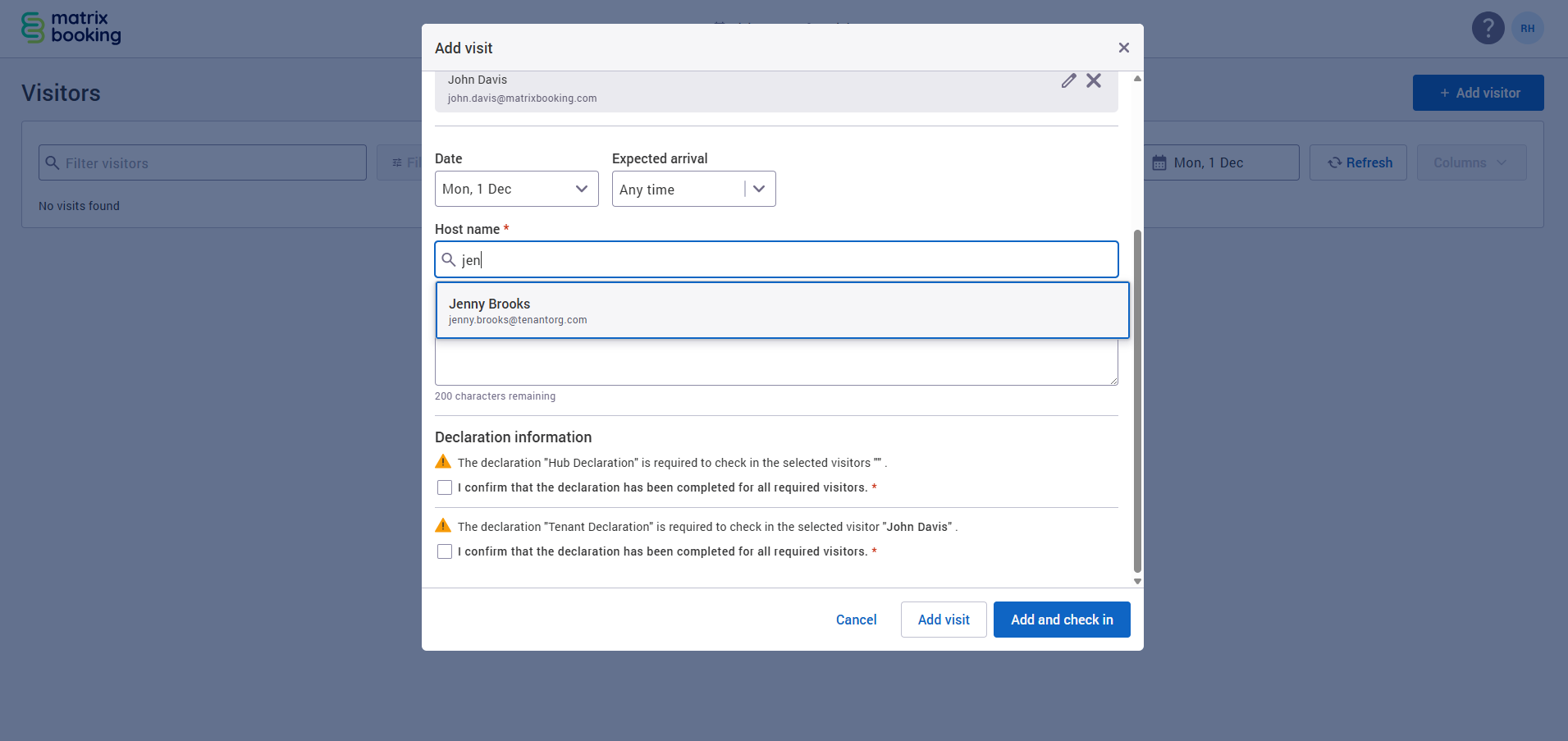
More control over visitor lists and passcodes
Internal staff can now appear on the visitor list when enabled by the sharer or sharee reception. Passcode emails can also be sent, with either organisation able to control this. When switched on, those emails include a QR code for quick check-in.
Updated declarations experience
Both sharer and sharee organisations can set up their own declarations for the same reception. Visitors will receive separate emails for each.
To support this, we have simplified the visitors list:
-
Declaration Name column removed to reduce clutter
-
Declaration Status now shows the number of declarations completed
-
An improved tooltip shows which declarations are complete or outstanding, the declaration name, and which organisation owns it
Visitor and check‑in modals now reflect these updates.
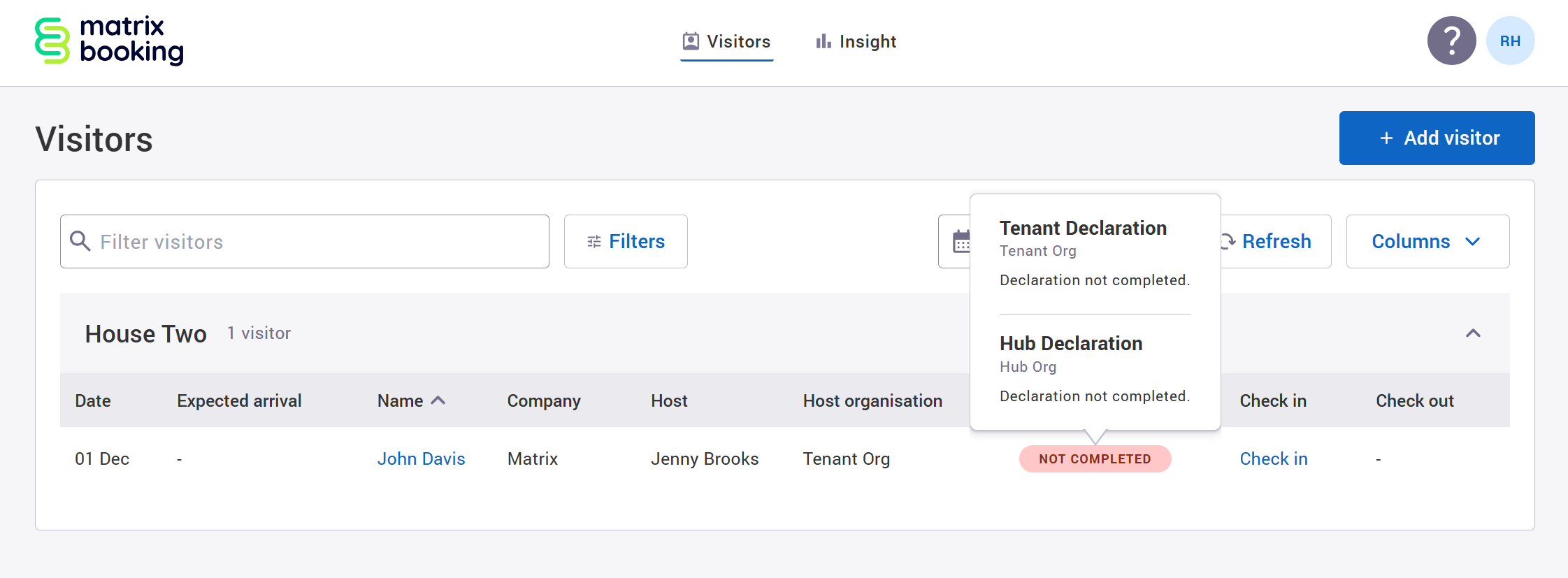
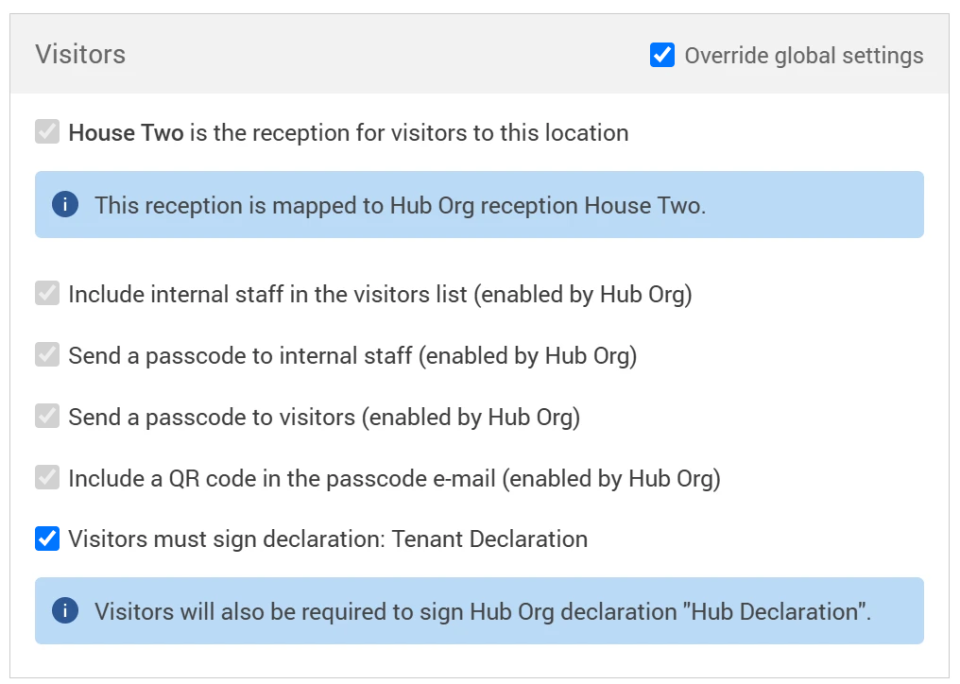
Enhanced tenant visibility on location settings
The Visitors settings section on the Locations and Hierarchy screen now provides clearer guidance for sharee organisations, including:
-
Whether declarations are required by both the sharer and sharee
-
Whether a reception has been mapped to a sharer organisation
Sharee organisation visitor settings:
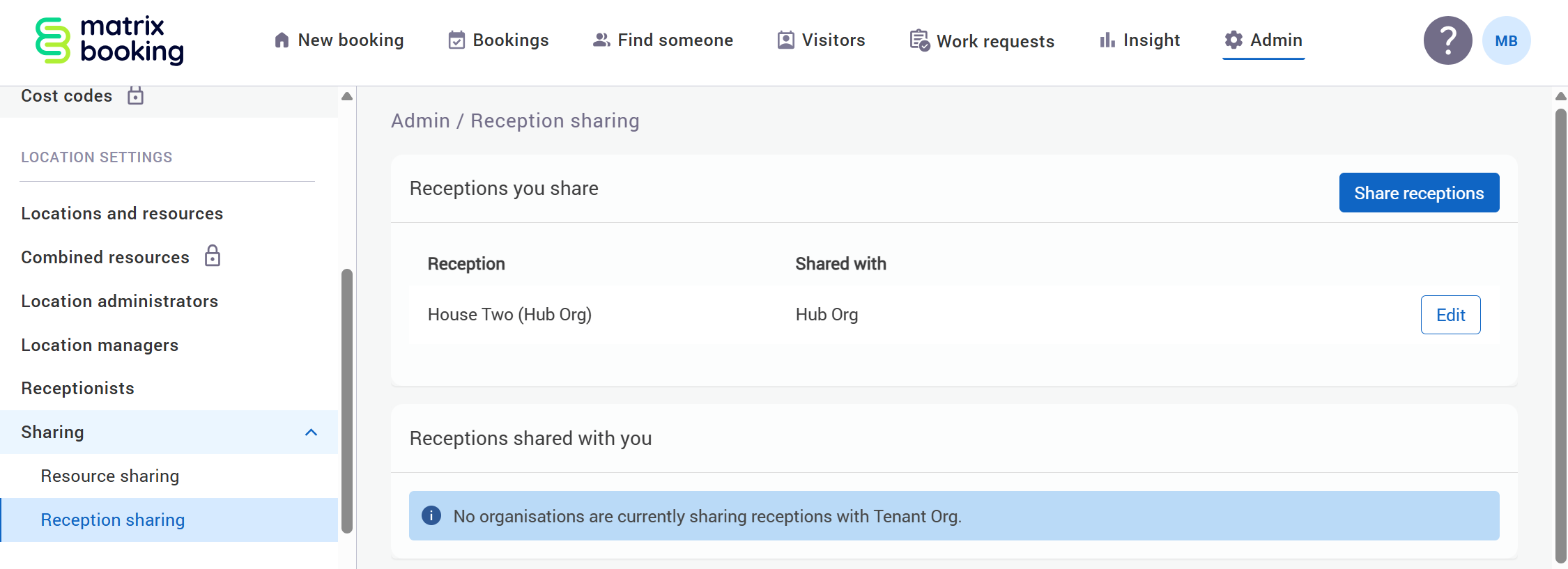
Redesigned sharing networks
Resource Sharing and Reception Sharing now have their own dedicated screens. This makes it much easier to configure sharing and see at a glance which organisations are sharing resources or receptions.
Sharer organisation reception sharing screen:
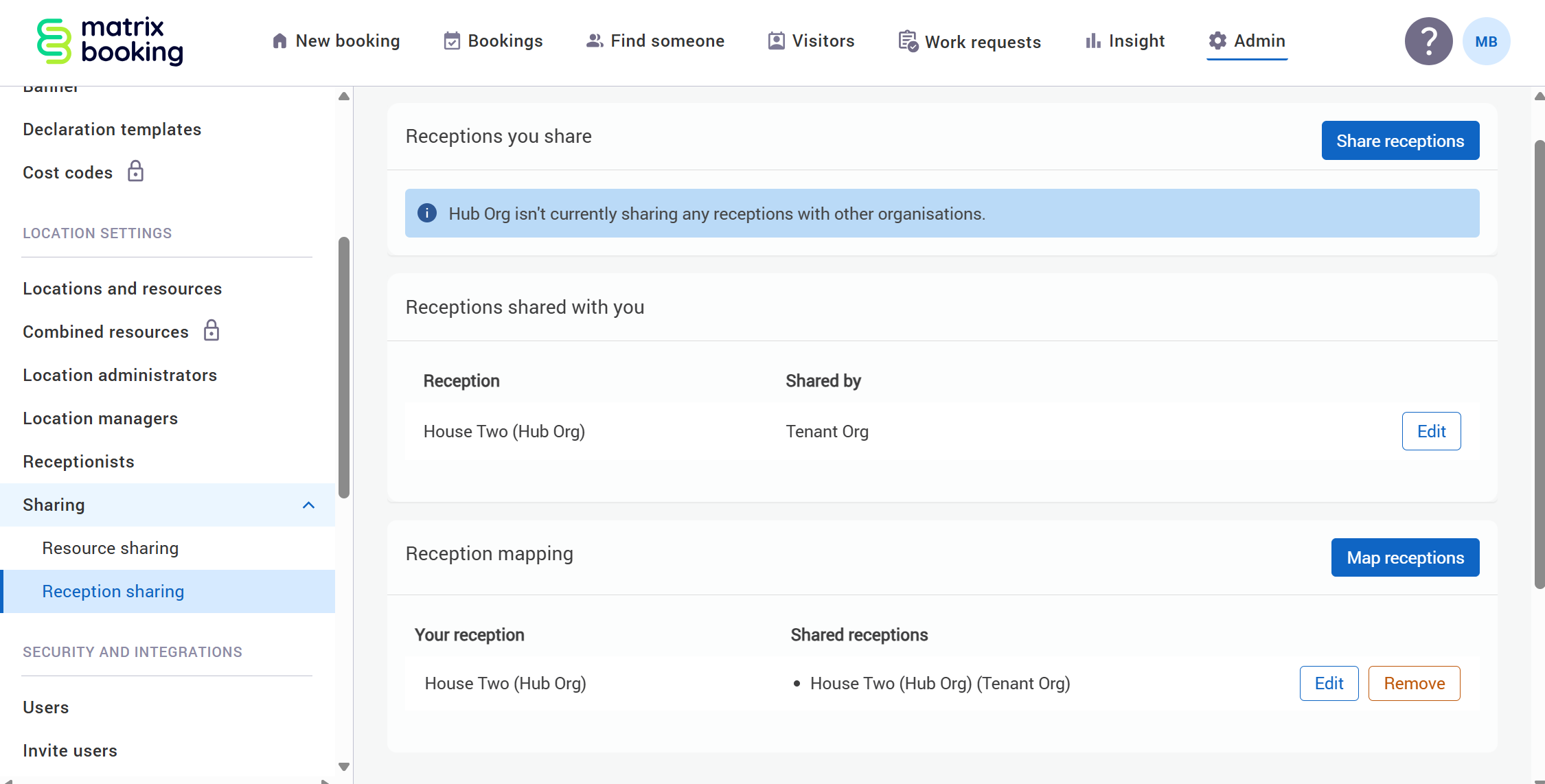
Sharee organisation reception sharing screen:
Visitor settings simplified
Visitor settings are no longer tied to specific booking categories. They sit under the Visitors settings as before, with clear guidance to keep values consistent across all categories.
Visitors list improvements
Add visits with clearer context
When adding a visit, users must now first select a reception (if they have access to more than one). This ensures visits are always linked correctly.
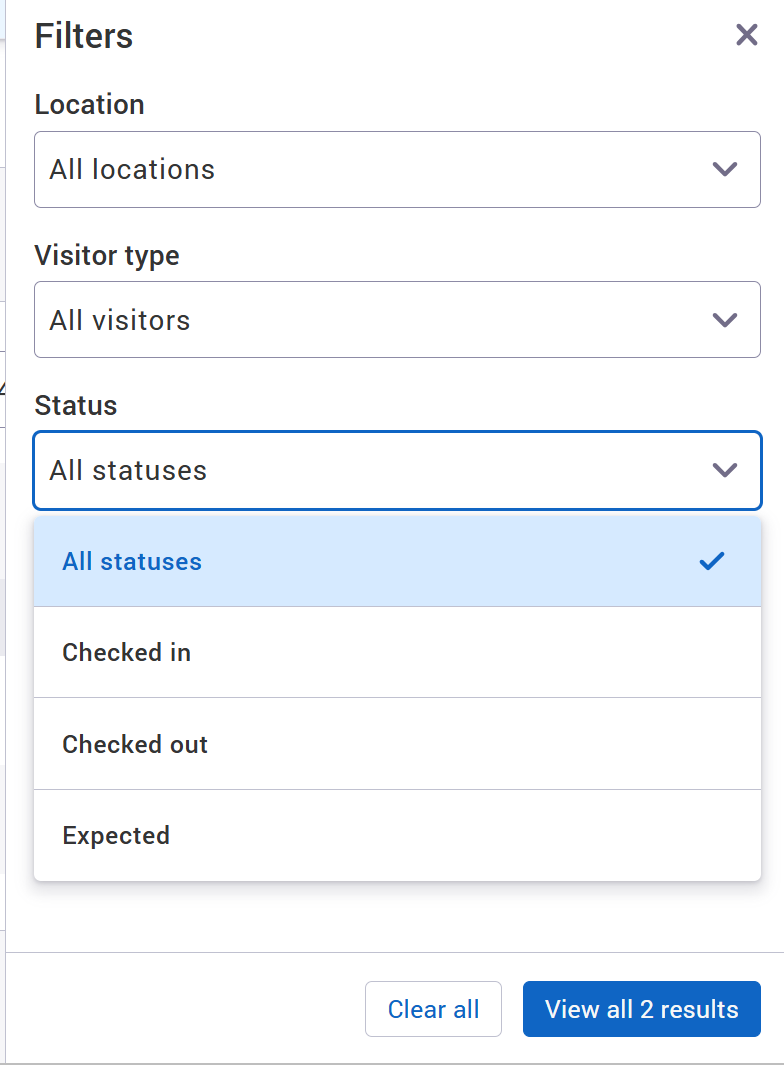
New status filter
Filter visitors by:
-
Checked in (checked in, but not yet checked out)
-
Checked out (checked in and out)
-
Expected (Not yet checked in or out)
Booking location column
A new “Booking location” column has been added to the visitors list. It shows the location of any booking linked to a visitor, including the resource name and floor when applicable.
Export data
The export button has been added back to the visitors list. It exports all data currently shown on the screen into a CSV file.
Faster access to bookings
Clicking a booking title opens it in a new tab.
-
Admins can edit or cancel bookings
-
Reception users can view in read-only mode
Coming soon to visitor management
We have some exciting visitor management improvements on the way. Here's a look at what you can expect in future releases.
Multi-organisation visitor management on the Welcome app
Multi-organisation visitor management is coming to the Welcome app. This will allow organisations that share receptions to manage visitor check-ins from a single self-service kiosk. Visitors will be able to select the host organisation during check-in, keeping the experience smooth and intuitive while maintaining clear separation and control for each tenant.
Visitor pass printing
We’re introducing visitor pass printing to streamline the check-in experience and create a more professional arrival for your guests. Reception teams will be able to print clear, consistent visitor badges at the point of check-in, helping to improve security and on-site visibility. Passes can also be printed directly from the Welcome app, supporting a seamless self-service experience at your kiosks.
Meet the team
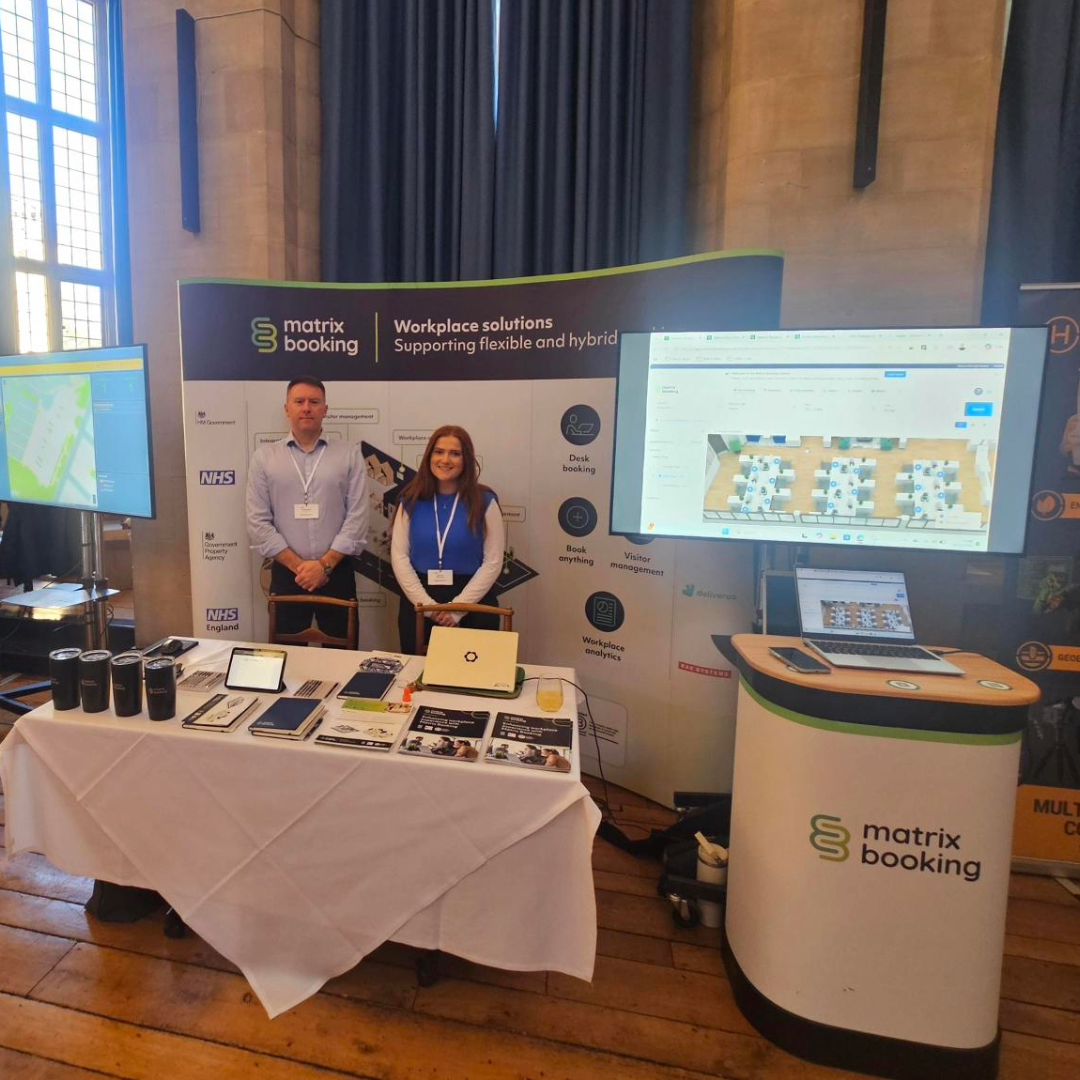
Where to find us next:
The Workplace Event 2026 - 28 to 30 April 2026 (NEC, Birmingham). We are excited to be exhibiting at The Workplace Event. Our specialists will be on hand at our stand to discuss your resource management goals and give a short demonstration of our software.
AUDE annual conference - 20 to 23 April 2026 (University of Leeds)
Local Authority Property and Estates 2026 - 30th April 2026 (Manchester)
The Health Estates and Facilities Management Association (HEFMA) Leadership Forum - 28th to 29th May 2026 (Leeds)
To see the full list, head to the events area on our website.
Supporting information
Please do ensure all of your administrators have access to our Support Portal to allow them to raise issues.
Here are some useful links:
-
Our Support Portal for guides, troubleshooting and raising issues.
-
Our Administrators guide for detailed instructions on how to amend and change settings.
-
Our Training Hub contains all our eLearning guides.
Why am I getting this email?
You're receiving this operational email because you're either a Matrix Booking Administrator or you’re registered with us as a key contact involved with Matrix Booking. If this isn't the case or you no longer wish to receive these updates, select the update your preferences link at the bottom of this email.
This is also the same contact list we use to advise of any system issues or service updates. If you fully unsubscribe from this, you'll unsubscribe from both types of email.
If you’re updating your workplace processes and rules or if you would like more information about anything in this email or our other products, contact us to see how we can provide help or support with those plans and using Matrix Booking in general.
Regards from everyone here at Matrix Booking,
Ian Jones
Chief Customer Officer