
Here's what's new in Matrix Booking
This month, we’ve completed the launch of Workplace roles which we know many of you have been asking for. There is a quick summary below and our Admin guide has full details on how to set up and use these. In addition we have also updated our Find someone feature on the web so that you can find these workplace roles much more easily. Finally, there are also a few more details about some of our new and exciting features coming very soon, such as ability to set Hybrid Work Schedules.
We also have a new webinar scheduled later in October, where we’ll take you through these updates and have a deeper dive on Groups and Teams and how these can be used to set more complex availability rules and also feed in to reporting.
If you'd like more details on any of these updates, please reach out to your Customer Success Manager.

So, what’s in this email:
1. Workplace roles
We have now fully launched Workplace roles and these allow you to create configurable roles, such as Fire Wardens, First Aiders or Mental Health First Aiders. We have also made it easier to find these key people, exactly when you need them.
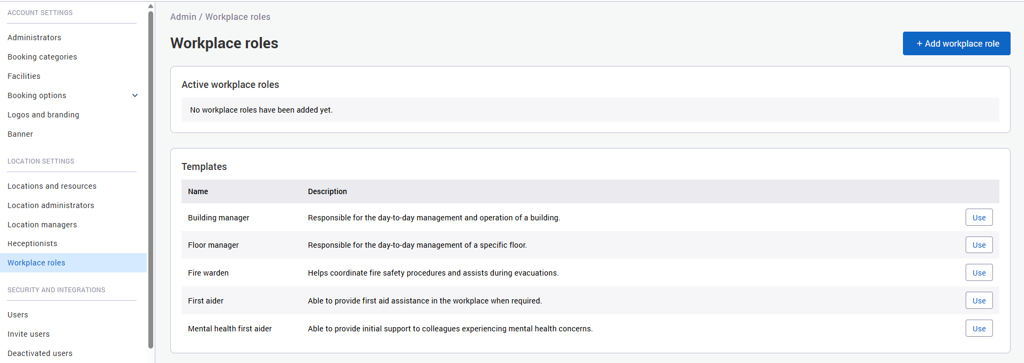
Administrators can create their own workplace roles or choose from a selection of predefined templates. Roles can be created, edited, and deleted, and you can see how many users are assigned to each role. The new area appears for administrators in the left hand menu as shown in the screenshot below:
In addition to creating the role as an admin and assigning it to an individual, you can also set the role so that users can assign it to themselves.
Assigning Workplace Roles
Workplace roles can be assigned to users in three ways:
-
As an admin, visit the workplace roles section and add users from there
-
As an Admin, visit the User management area and edit a user and add the role to their profile
-
As a user, if the role is enabled for self nomination you can add it from your own profile by clicking your initials and then Your Information
For more information on setting up Workplace roles please read this section in our Admin guide.
2. Find Someone - now updated for workplace roles
Finding the right person in the office is now easier with the new Key People area in Find Someone.
Select a building to see the people with workplace roles who are working there today. Today’s date is automatically selected, helping you quickly find the right person for the current day.
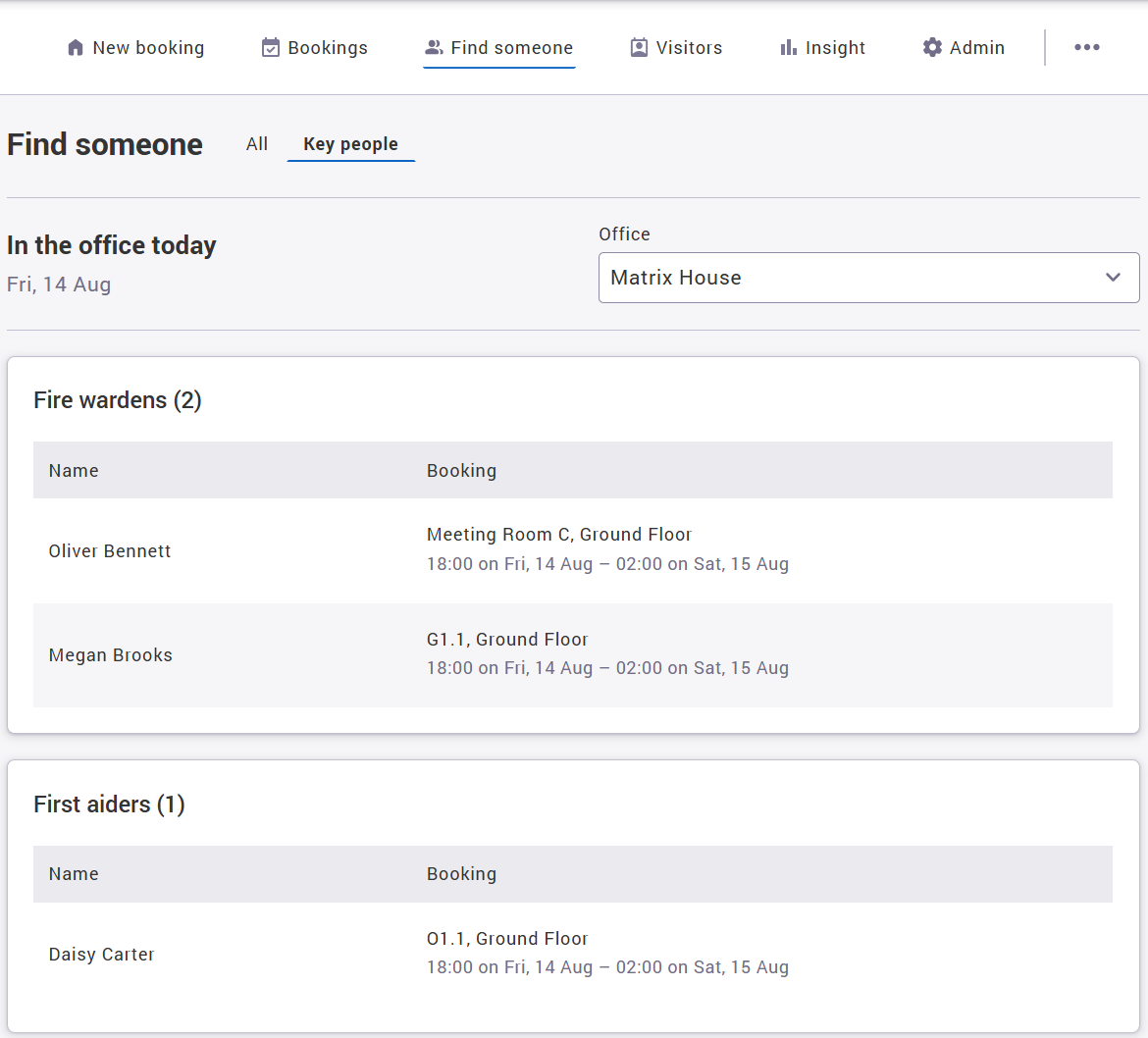
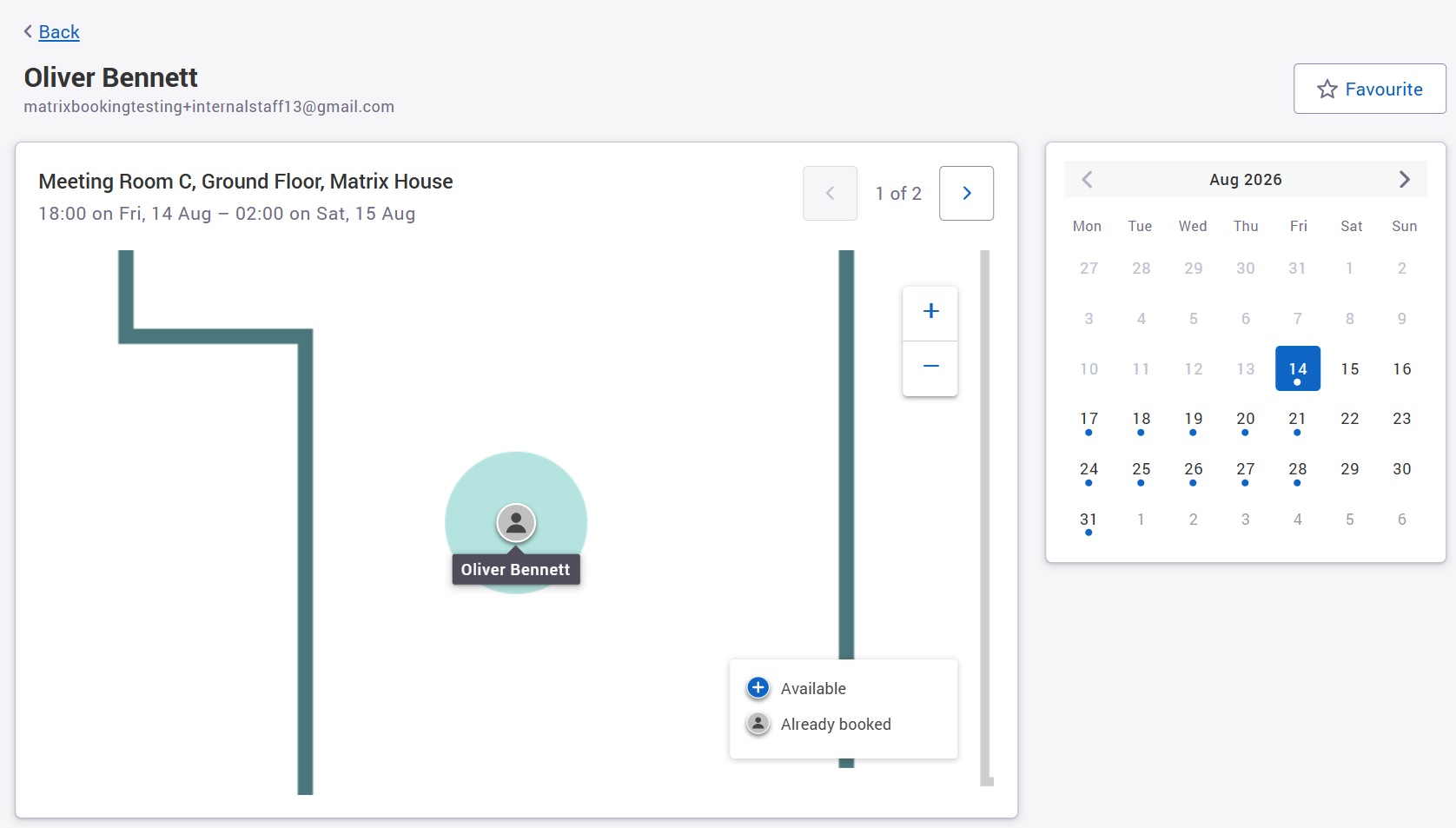
Select a person to view:
-
Their name and email address
-
Their location on the floor plan
-
Their future bookings
Whether you're looking for a Fire Warden, First Aider or another key workplace contact, you can quickly see who is available and where to find them.
3. Find Bookings by Workplace Role
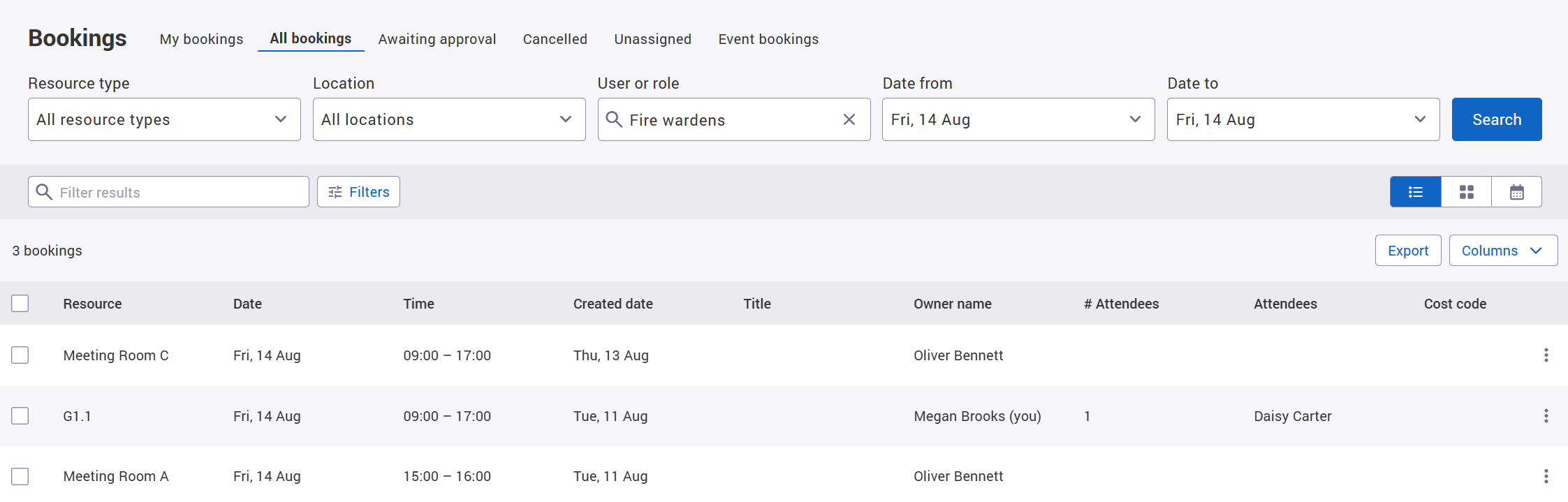
The All Bookings screen now makes it easier to find bookings associated with people in specific workplace roles.
As well as searching for individual users, you can now search and filter by workplace role, making it quicker to find the bookings you need.
You can locate them in a list view as shown below:
Or even on a calendar view if preferred:
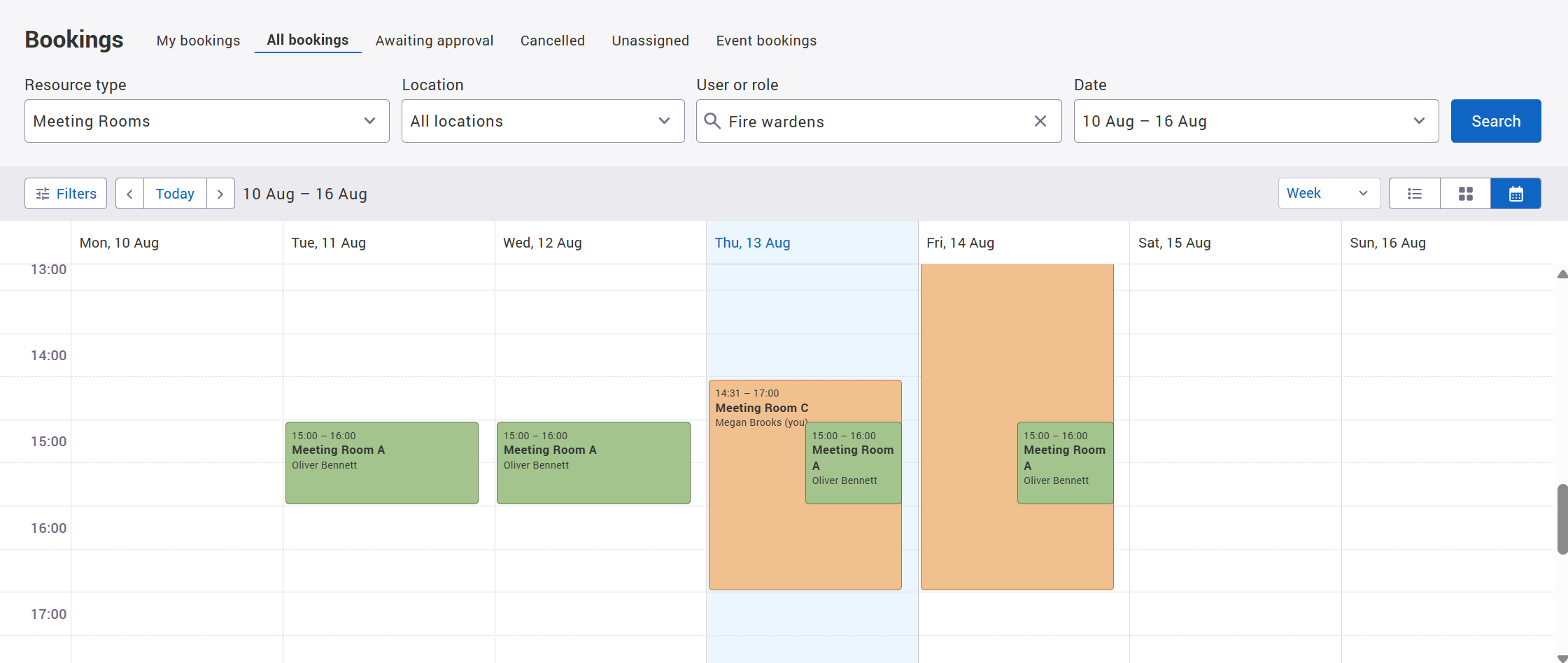
Note: Using Find Someone / Key people is the easiest way to locate people with these types of roles, but if you do not have Find Someone enabled then using the All Bookings view will also allow you to locate them.
4. What's coming next?
1. Mobile app updates
Find someone added to the mobile app
Finding colleagues will be easier in the mobile app (if enabled for your organisation).
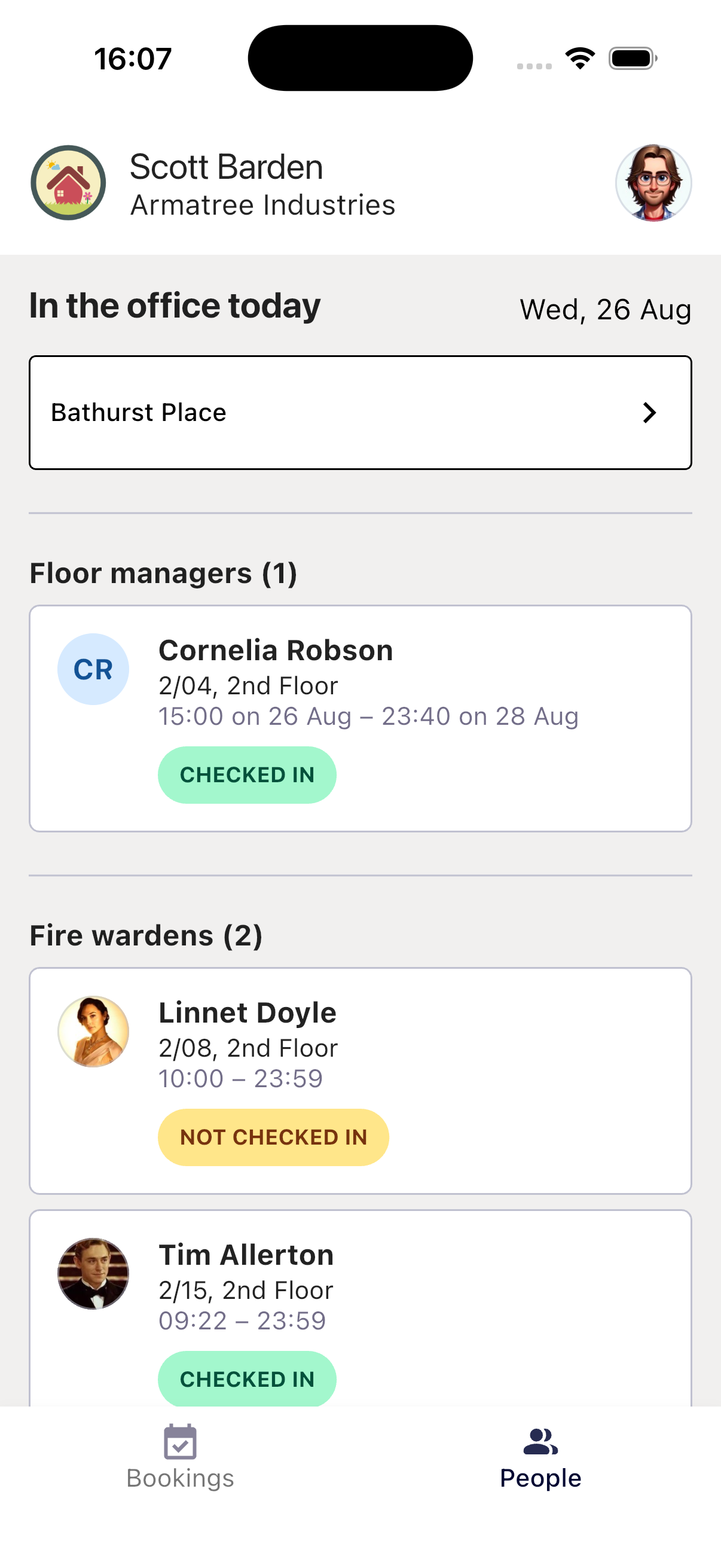
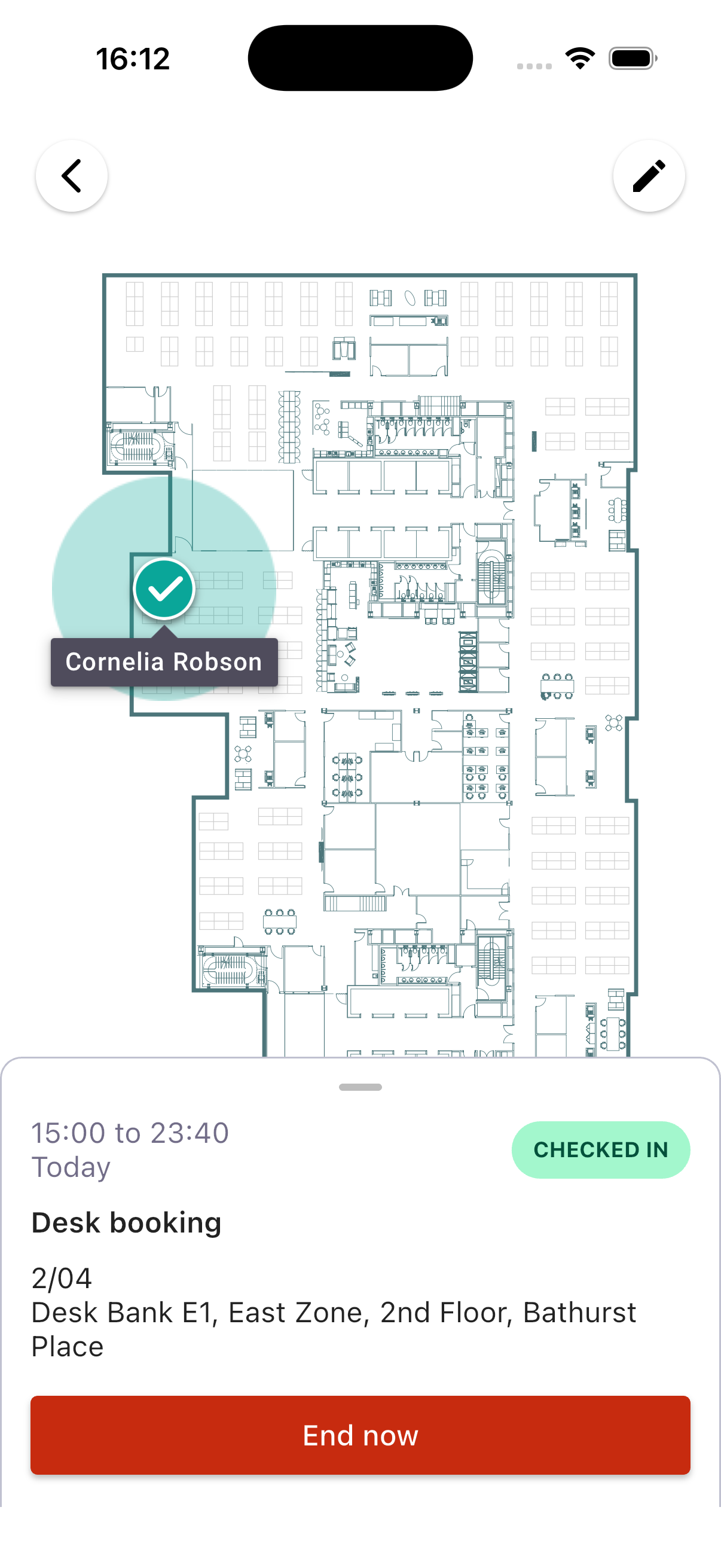
A new People section will be available at the bottom of the app’s main screen. From here, you will be able to:
-
Search for colleagues quickly and easily
-
See where your colleagues have bookings today
It’s a simple way to find and connect with colleagues while you’re on the go.
In addition to adding Find Someone to the mobile app, we will be launching it with the ability to find key people (the new Workplace Roles) on mobile too. Early designs of this section are below so you can see what this should look like when it is live.
|
|
|---|
2. Insight reporting
We’re currently updating our Insight Attendance dashboard so that it too will show workplace roles attendance alongside the information already there.
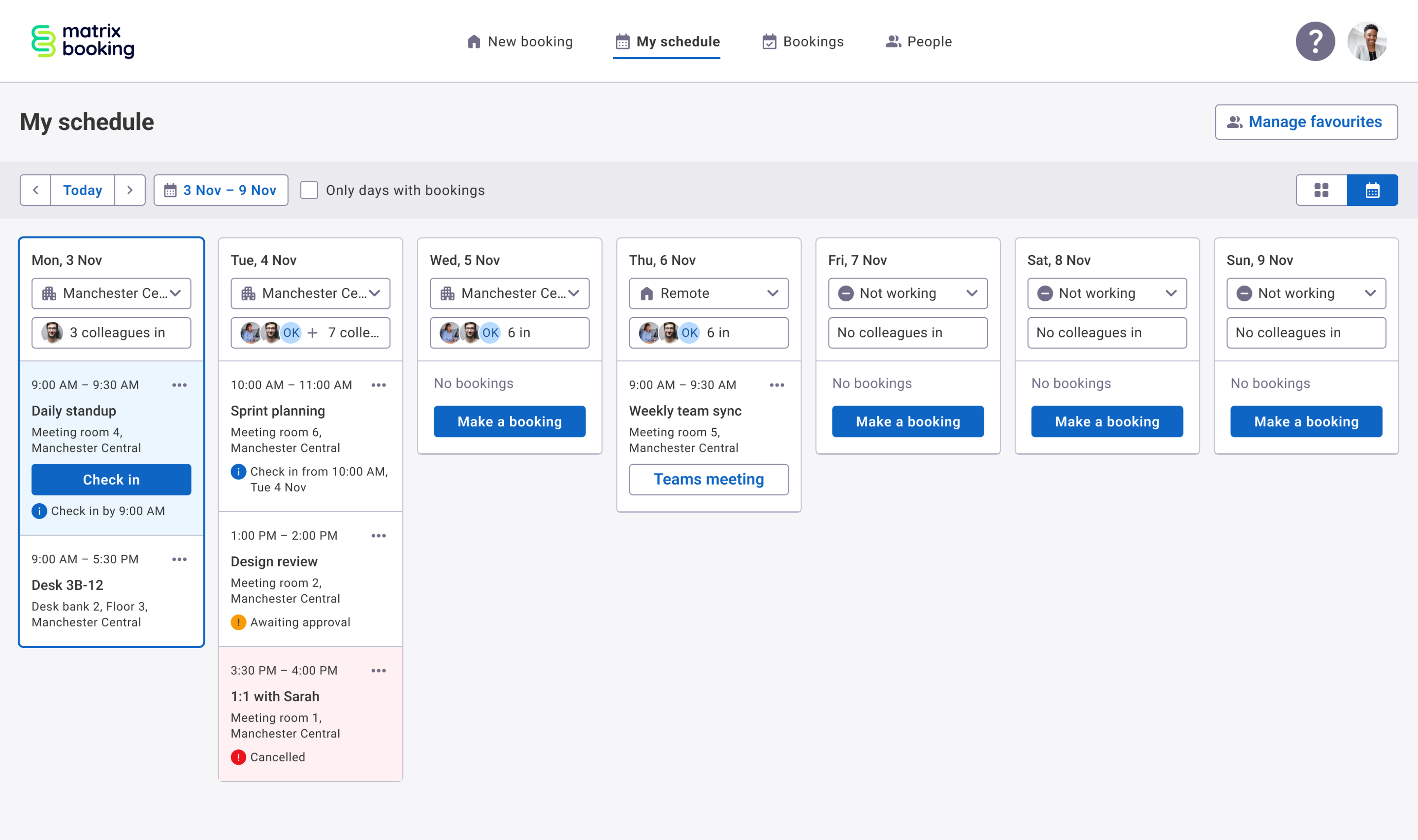
3. Hybrid Work Schedules
We're empowering hybrid workers with personalised weekly work schedules, making it easier to book spaces and coordinate in-office collaboration with colleagues.
Users will be able to set their default weekly hybrid work schedule, indicating whether they're working remotely, in the office, or not working, and choose whether to share this information with colleagues.
From the new “My Schedule” view, users will see when colleagues plan to be in the office alongside their own work schedule and bookings, helping teams coordinate their time more effectively.
We're also adding support for profile pictures, making it easier to identify colleagues and quickly see who's planning to be in the office.
5. Private bookings
We’re also going to be shortly introducing private bookings, giving users greater control over the visibility of their booking information.
When creating a booking from the web app or mobile app, users will be able to choose whether it is a Private booking. For private bookings, the booking title, notes and attendee details will be hidden from other users. The booking will still show as occupying the space, so availability remains clear.
This gives users greater flexibility when booking spaces for confidential or sensitive meetings, while ensuring the availability of rooms and desks can still be managed effectively.
The private/public status will also synchronise with the equivalent privacy setting in Microsoft 365 (Outlook), so the privacy of a booking is consistent across both systems.
Note: When it is launched, this feature will be OFF by default, so please raise a support ticket if you would like this feature enabled.
5. Customer webinar - Groups in Matrix Booking
Join us to discover how groups and teams in Matrix Booking can help you create a more personalised, efficient, and controlled workplace experience. We'll demonstrate how organisations use groups to manage access to desks, rooms, parking, and other resources, reducing manual administration and ensuring the right people can access the right spaces at the right time. You'll learn practical ways to support hybrid working, reserve resources for specific teams, improve governance, and deliver a smoother booking experience for employees. Through live demonstrations, best practice guidance, and real-world examples, you'll leave with actionable ideas that can save time, increase adoption, and help you get more value from your Matrix Booking platform.
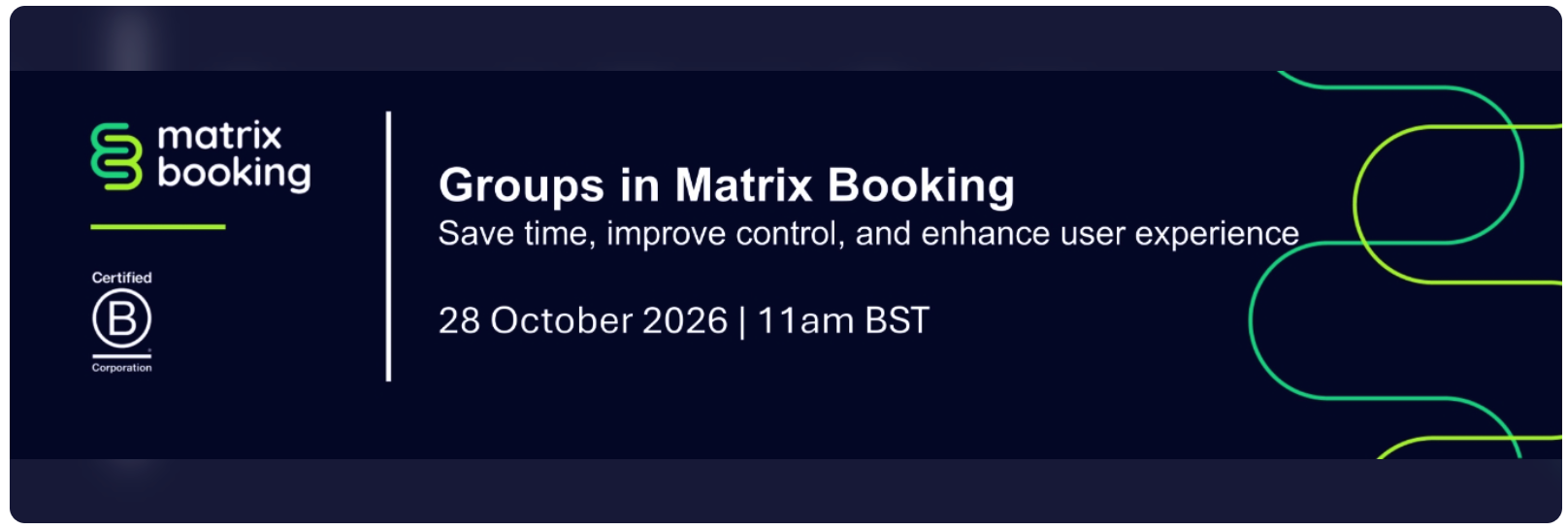
Register now for this webinar which ill take place on Wednesday 28 October 2026.

If you missed the previous webinar, or would like to watch it again, the recordings are available on our e-learning hub.
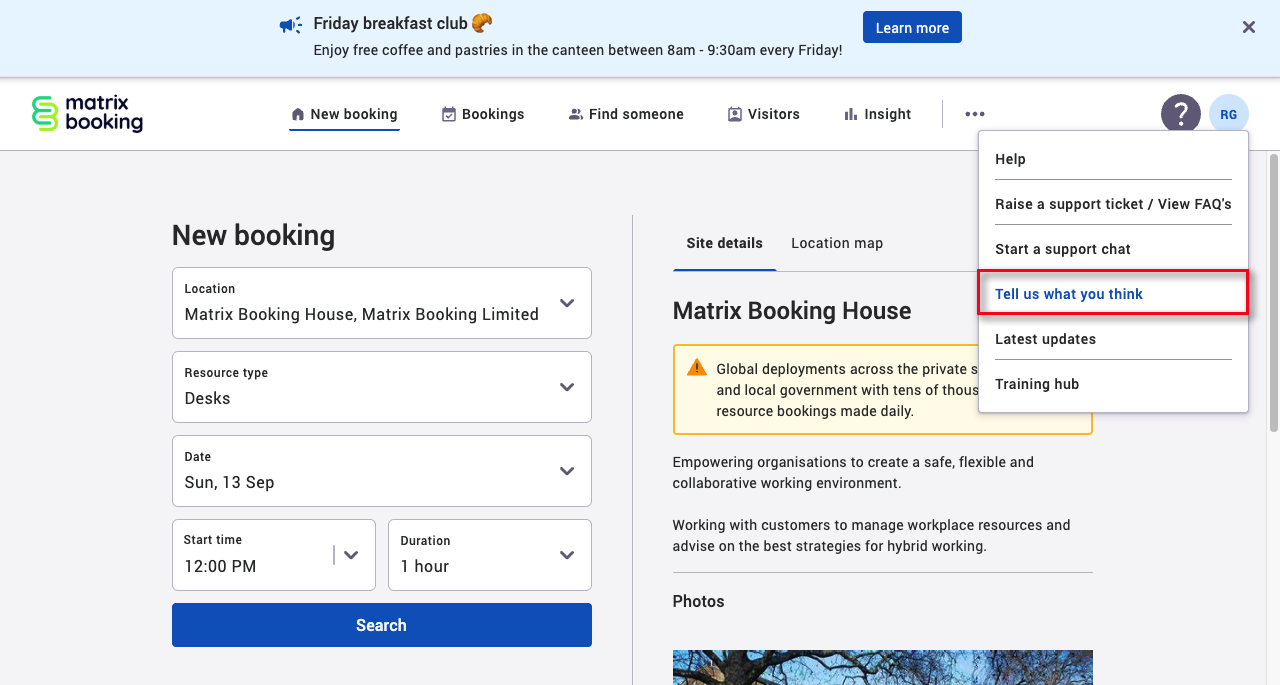
6. Tell us what you think…
We're changing how we gather customer satisfaction feedback, moving from an always-on survey to a dedicated twice-yearly exercise starting in December. The general feedback survey will stay exactly where it is today, so you can always share your general thoughts and feedback with us - so if you've got a view on the product, team or service right now, this is a great moment to do it, as it'll help shape what we prioritise as we move forward with the new approach.
Just as a reminder, this is where you can find the Customer Satisfaction Survey (3 simple questions):
7. Where to find us next
Facilities & Estates Management Live: 20 – 21 October 2026 (Business design centre, London)
NHS Property 2026: 10th November 2026 (London)
To see the full list, head to the events area on our website.
Customer visits: We love seeing our product in action with our customers. If you'd like a visit to walk through features and settings, or get a look at what's coming next to help you manage your office space and resources even better - just reach out to your Customer Success Manager.
8. Supporting information
Please do ensure all of your administrators have access to our Support Portal to allow them to raise issues.
Here are some useful links:
-
Our Support Portal for guides, troubleshooting and raising issues.
-
Our Administrators guide for detailed instructions on how to amend and change settings.
-
Our Training Hub contains all our eLearning guides.
Why am I getting this email?
You're receiving this operational email because you're either a Matrix Booking Administrator or you’re registered with us as a key contact involved with Matrix Booking. If this isn't the case or you no longer wish to receive these updates, select the update your preferences link at the bottom of this email.
This is also the same contact list we use to advise of any system issues or service updates. If you fully unsubscribe from this, you'll unsubscribe from both types of email.
If you’re updating your workplace processes and rules or if you would like more information about anything in this email or our other products, contact us to see how we can provide help or support with those plans and using Matrix Booking in general.
Regards from everyone here at Matrix Booking,
Ian Jones
Chief Customer Officer