Welcome to our December 2025 product update.
Over the past couple of months, we’ve shared regular updates about the redesigned Matrix Booking. The wait is nearly over. In just a few days from now, on 12 December 2025, the new experience will go live for everyone.
We’ve built the redesign with your feedback in mind. Many of you have already been using it and have told us what feels smoother, what still needs work, and what would help you manage bookings more easily. Thank you, your input has shaped the improvements you’ll see now and the ones coming early next year.
Below is a quick overview of what’s ready now, what’s coming shortly, and the resources available to support your teams.
So, whats in this email:
Functionality added since 31 October
-
View and manage cancelled and unassigned bookings.
-
Manage and approve bookings that are awaiting approval.
-
The ability to set and update your email notifications and book on behalf preferences.
What is coming on 12 December?
-
Make a booking via a basket
-
View and manage work requests
-
Export All Bookings data via Insight, including bookings for a specific resource. Previously exporting all of your organisations bookings was available to every user – for improved security, export bookings is still available but it is accessed via the INSIGHT reporting platform. If you need a standard user to have this access then please raise a support ticket and they will be given access.
-
Edit someone else’s booking directly from a floor plan (for location managers and above)
What’s coming in January 2026?
Bookings improvements
-
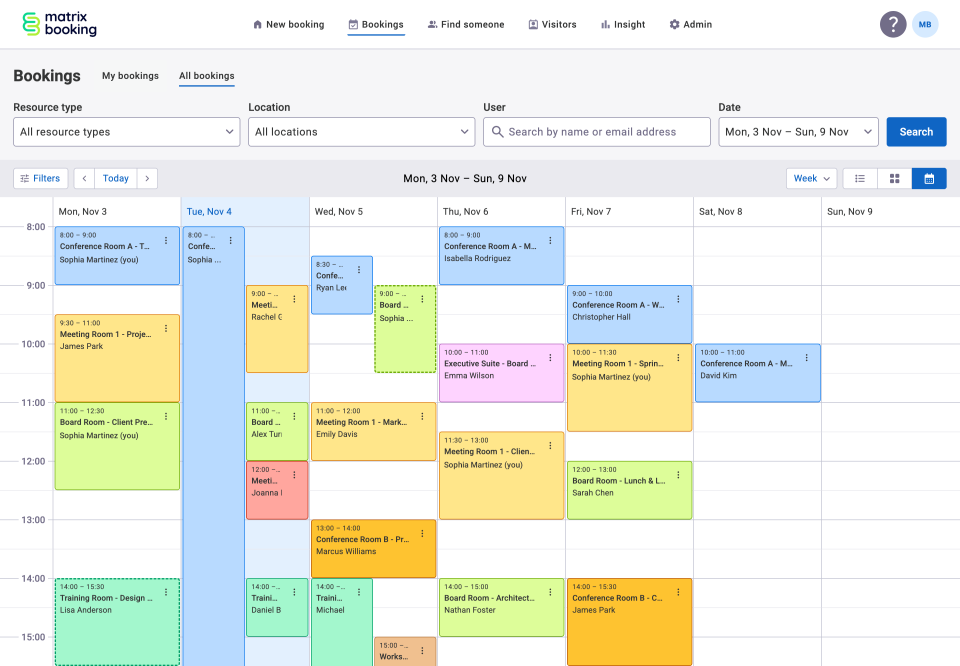
Calendar view
-
Week and month views in the All Bookings calendar.
-
Day view with an option to change orientation.
-
-
Search for bookings by resource
From the 12 Dec, you'll be able to search for bookings and filter by a specific resource in the updated Insight Booking History report. An update to All Bookings in the Web Application to support this same functionality will follow early in the new year. -
Schedule view – horizontal layout
The new schedule view enables you to see availability for all resources on one page without pagination. It works on both small and large screens. You can drag and move a booking from one row to another, and the page will scroll so you can drag to any resource listed. The horizontal layout also provides more space to clearly display labels for each resource. Additional calendar views for day, week, and month are coming early in the New Year. -
Table column sorting
This will be available by the end of January 2026
Admin view and defaults
Admin features haven’t changed much yet, but big improvements are on the way. In the New Year, we’ll start rolling out new capabilities to make managing bookings even easier and more powerful.
-
When administrators click on Bookings in the navigation, it opens All bookings by default. This gives admins full visibility of every booking across the organisation.
For regular staff members, the default is My bookings. This keeps things simple by showing only their own bookings first. They can still switch to All bookings if needed.
-
Standard users default to My bookings.
-
Previously, customers often missed or didn’t use the default location setting. To make things simpler, the system now remembers your last choice. If you viewed My bookings last time, it will open there next time.
Things to note about booking search
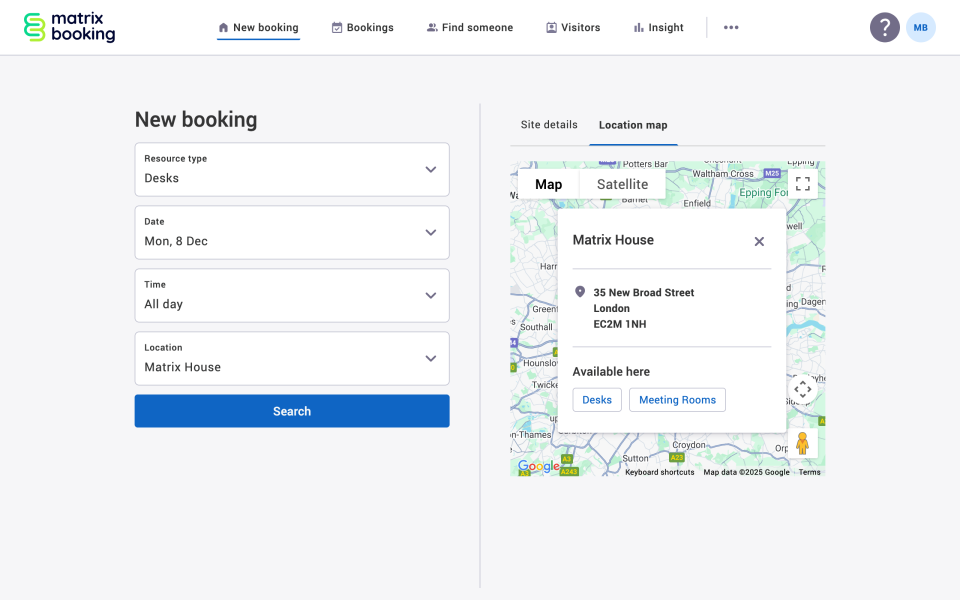
New booking search – resource first
We’ve updated the search flow to start with resource selection instead of location because most people book in the same place. This prioritises what users change most often and makes searching faster.
We’ve gotten feedback that people sometimes choose a location that doesn’t offer the resource they need.
Tip: use the Location map with Site details to check which resource types are available at each site before adjusting your search. It’s the quickest way to avoid empty results.
To make things simpler, the system now remembers the last location you searched, so you don’t need to set a default.
Further improvements to make search even more flexible are coming in the New Year.
Customer feedback so far
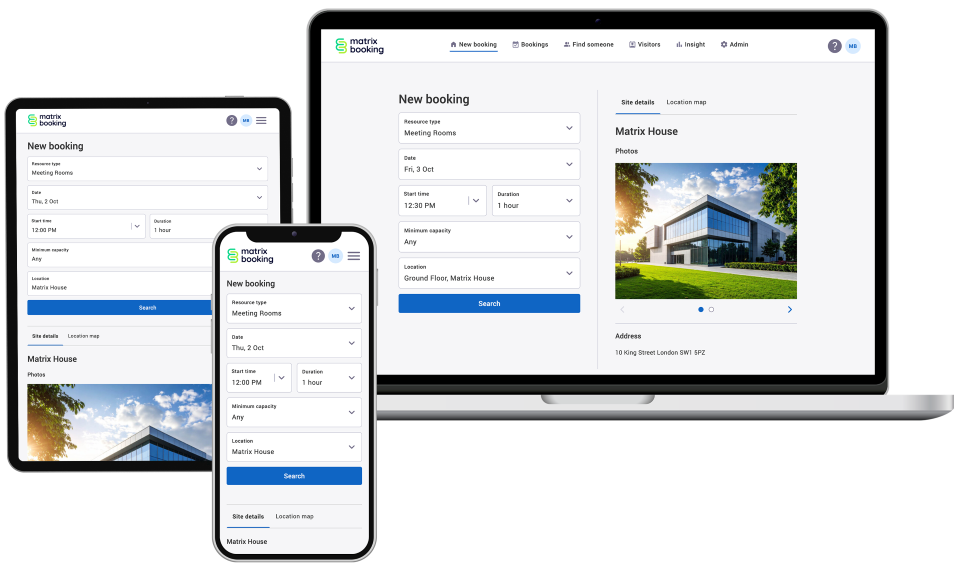
Since launch, customers have told us the new Matrix Booking feels cleaner, faster, and easier to use. They appreciate the intuitive design, improved accessibility, and new features like the schedule view for My Bookings. It also works seamlessly across desktop, mobile, and tablet, making booking simpler wherever they are.
-
"The meeting rooms calendar view is exceptionally good in the new version. I like not having to go to another page to find a space , scrolling down is so much easier."
-
"Easy to use - much easier to look at - clean interface and more agile response and the accessibility aspects are especially welcome."
-
"The ability to have relevant information to those visiting site, on the same page and the alert text shown for the site will be a great asset - Thanks to all who brought that about."
-
"The new design looks fab"
-
"No comments – 5 star ratings in all categories"
-
"Having completed the e-learning for the Matrix system upgrade and having tried out some test bookings the system seems very clear and intuitive to use."
-
"5* feedback from us - it's really easy to use, the visual is much better and overall user experience is nicer!"
Introducing the redesign to your staff
We’ve created a page you can share directly with your teams to help explain what’s changing and why. It covers:
-
What’s new and what’s coming soon.
-
Key benefits of the redesign.
-
Training and support links.
Find out more about the new Matrix Booking for standard users
Front-of-house and reception teams
Alongside updating your staff, please make sure any front-of-house or third-party reception teams are also aware of the upcoming changes.
We’ve created an e-learning guide that covers the core journeys front-of-house teams will use on the updated screens. Please share this with them and ask that they take their teams through it before the switchover.
Training and support
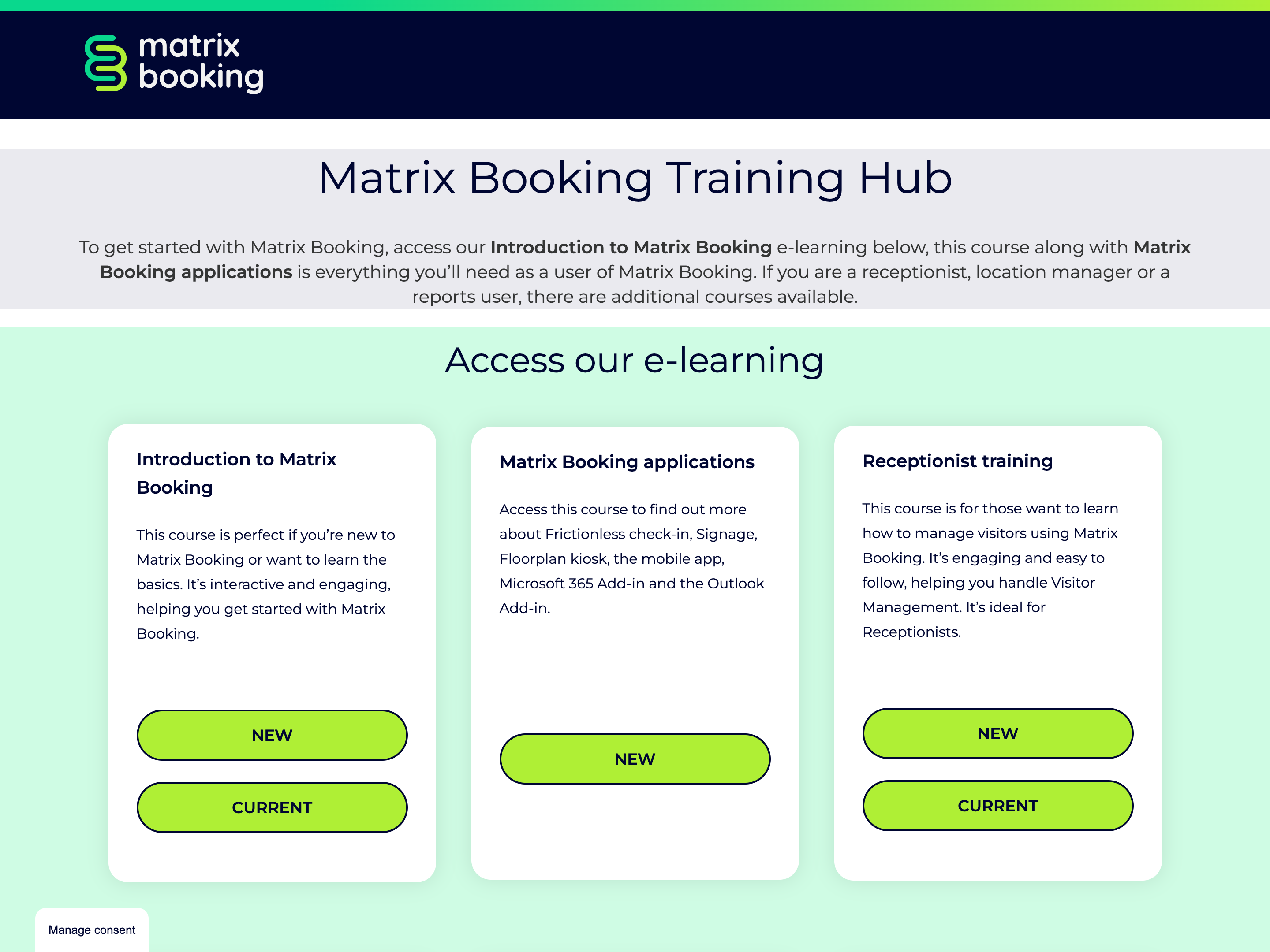
The Matrix Booking Training Hub is your go-to place for all e-Learning. From 12 December, the current modules will be retired, and those modules removed from the Training Hub.
Help is available directly in the application by selecting “Getting started” (in the current version) or by clicking the question mark and selecting "Launch e-learning" (in the new version) - this will take you directly to the training hub.
What to do now:
-
Share the Training Hub link with your users so they can become familiar with the redesign.
-
Review and update any internal processes or documentation you might have before the redesigned Matrix Booking goes live for all users on 12 December 2025.
-
If you have change management processes linked to Matrix Booking, make sure they’re updated ahead of the switchover.
-
Let your teams know about the new features and improvements.
Support over the holiday period
We'll be providing full support as usual over the approaching holiday periods. Our support team will be handling all issues raised in the Support Portal on all working days (Monday to Friday) with the exception of UK Bank holidays (listed below).
UK Bank Holidays
-
Thursday 25 December 2024
-
Friday 26 December 2024
In addition, for those customers with Admin as a Service, we can confirm that real time Support Chat will also be fully available during these same periods allowing you an even quicker response.
This is our final planned update of the year. A product freeze will run from 18 December 2025 to 05 January 2026, except for urgent or security-related updates.
Supporting information
Please do ensure all of your administrators have access to our Support Portal to allow them to raise issues. Here are some useful links:
-
Our Support Portal for guides, troubleshooting and raising issues.
-
Our Administrator guide for detailed instructions on how to amend and change settings.
Why am I getting this email?
You're receiving this operational email because you're either a Matrix Booking Administrator or you’re registered with us as a key contact involved with Matrix Booking. If this isn't the case or you no longer wish to receive these updates, select the update your preferences link at the bottom of this email.
This is also the same contact list we use to advise of any system issues or service updates. If you fully unsubscribe from this, you'll unsubscribe from both types of email.
If you’re updating your workplace processes and rules or if you would like more information about anything in this email or our other products, contact us to see how we can provide help or support with those plans and using Matrix Booking in general.
Regards from everyone here at Matrix Booking, we hope you enjoy the new design and have a happy and peaceful holiday period.
Ian Jones
Chief Customer Officer