
Problem
-
What’s support chat?
-
What’s live chat?
-
How do I get access to support chat?
Solution
This page describes our Support Chat service and how to access it. This page is also dedicated to those who have subscribed to our Admin as a Service (AaaS) offering:
Matrix Booking Support Chat
As part of our Admin as a Service (AaaS), Matrix Booking Support Chat lets administrators quickly ask questions, validate information, and determine whether an issue needs a support ticket. It’s the fastest level of support we offer, designed for low-level queries only.
Support Chat is available 9:00 am to 5:00 pm UK time (excluding public holidays). Our team will recognise you straight away. Your details are picked up automatically by the system, so there’s no need to enter your name or email.
Access to Support Chat
To access Matrix Booking Support Chat:
-
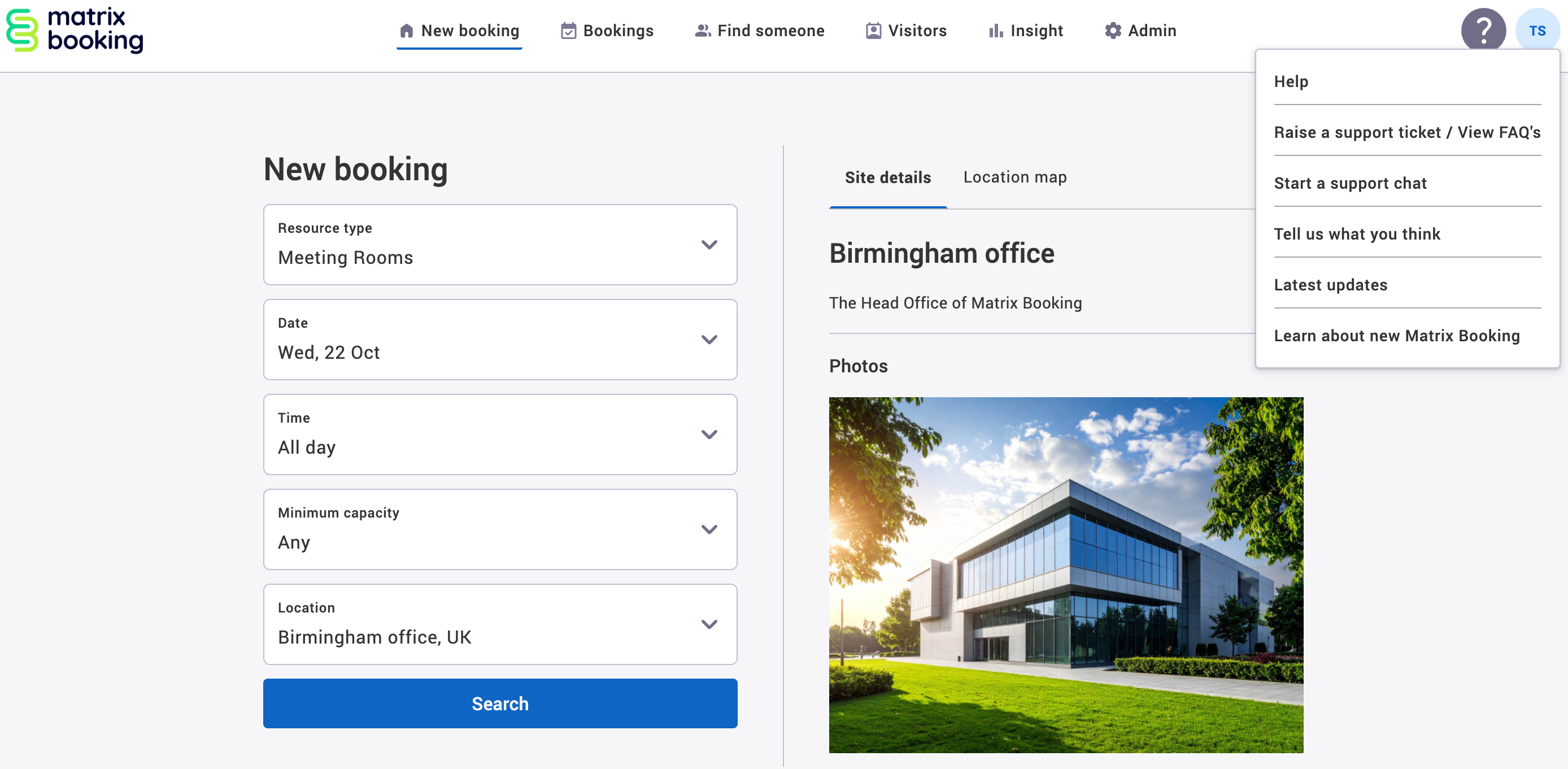
Once your customer success manager has confirmed that AaaS is live and Support Chat has been switched on for your organisation, select the ? help button. The Help dropdown will appear.
-
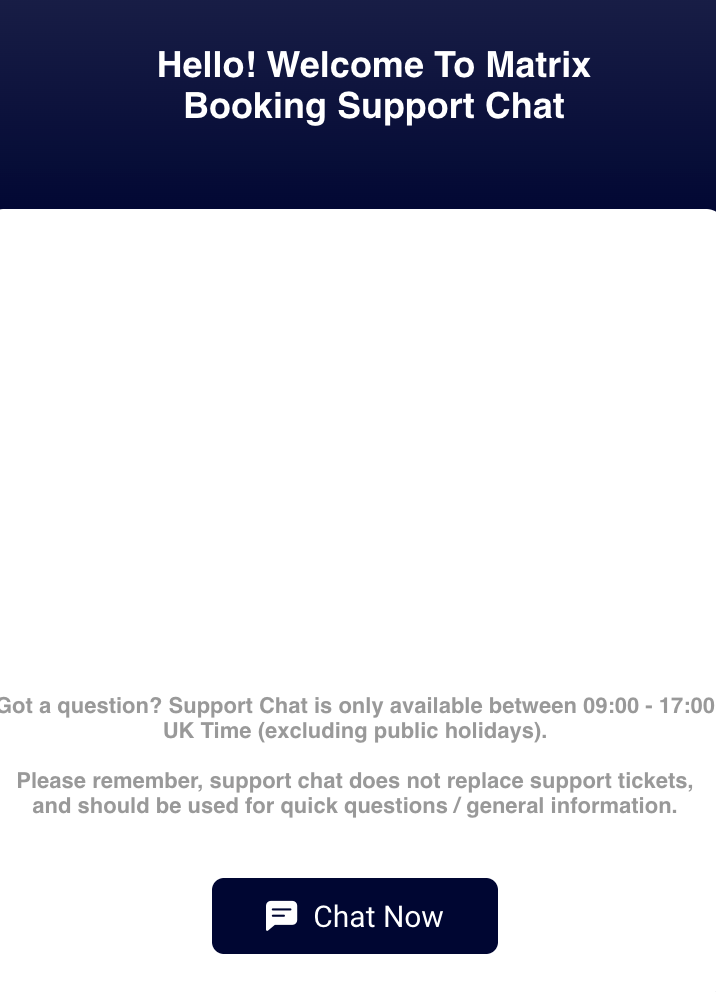
Select Start a support chat. The support chat will appear.
-
Select Chat Now.
-
Enter your question in the text box provided to be connected with our Support Team.
Supporting information
Although you can use Support Chat on a mobile’s web browser, we strongly recommend using the Support Chat on a desktop with a dedicated web browser, along with all the other Admin features.
As Support Chat is for low-level issues and queries, if there’s a fault, issue, or bug within the Matrix Booking system, this will still need to be raised as a support ticket.
All data is stored within the EU by Zoho as outlined in our list of sub-processors. All chats will be retained for the duration of your contract and will be logged within Zoho CRM against each individual customer contact.
If you have any questions about this service, contact your customer success manager.