
Matrix Booking has a number of different modules and each has its own release process:
Latest product and software versions
The latest versions of our products and software are:
|
App |
Version |
Supported by |
|---|---|---|
|
n/a |
Browsers:
|
|
|
5.2.1 |
iOS 14 or above |
|
|
5.2.1 |
Android 6 or above |
|
|
1.4.1 |
Android 5.1 or above Browsers:
|
|
|
2.0 |
iOS 11 or above |
|
|
2.0.0 |
Android 8 or above |
|
|
2.6.1 |
iOS 11 or above |
|
|
2.6.1 |
Android 6 or above |
|
|
1.14.3 |
iOS 9.3 or above |
|
|
1.14.3 |
Android 6 or above |
|
|
n/a |
Browsers:
|
|
|
3.2.5 |
Microsoft Outlook 2016 or newer for Windows. |
|
|
n/a |
Outlook versions:
|
Note: if you want the extended installer for the Outlook add-in, contact your customer success manager.
Overview or demonstration
If you’d like an overview or demo of any of the apps and add-ins above or if you’d like to discuss using one of the above solutions, contact your customer success manager.
Find out what version you’re running
Matrix Booking, Matrix Booking Insight, and Microsoft 365 add-in
You’re always running the latest versions of the Matrix Booking, Matrix Booking Insight, and the Microsoft 365 add-in.
Mobile app
To find the version number of the mobile app:
-
Open the mobile app.
-
Select the Settings (cog) button.
-
Select the vertical three-dots icon to open the more options menu. The version number will be shown above the Log out button.
Kiosk apps
To find the version number of any kiosk app (Arrivals, Floor plan, Signage, or Welcome):
Arrivals app
Currently, it’s not possible to check the version number of the Arrivals app while using the app. You can find the version number by accessing your device’s settings under Apps.
You can download the latest version at any time.
Floor plan app
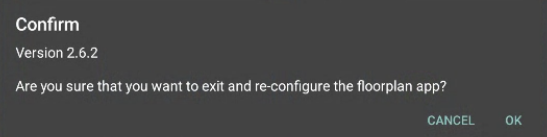
Tap 5 times consecutively in the top-right corner on the Matrix Booking logo. The Log out dialog will appear with the version number.
Signage app
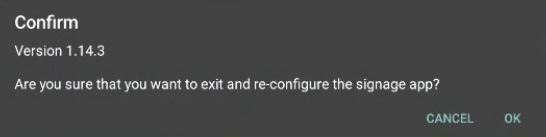
Tap 5 times consecutively in the top-right corner of the app. The app version will appear in the Reconfigure settings dialog.
Welcome app
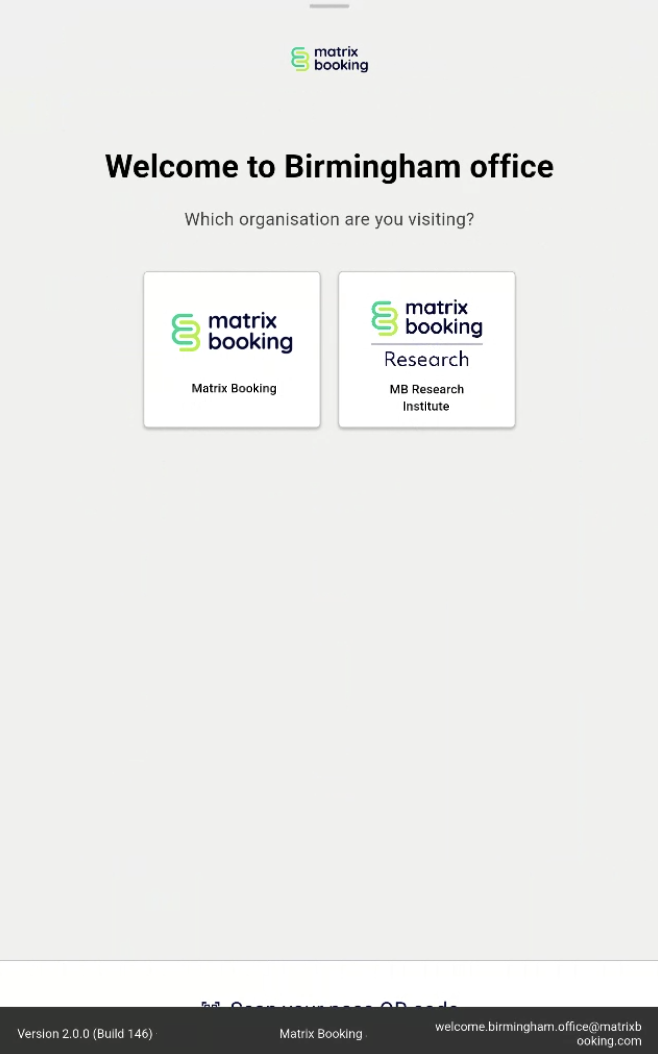
Long press (a second or two) on the Matrix Booking logo at the top of the home screen. The app version will appear briefly at the bottom of the screen.
Outlook add-in
To check what version of the Outlook add-in you have:
-
In Outlook, select File.
-
Select Matrix Booking in the side menu. The version will appear in the Matrix Booking Options screen.
Outlook versions for our Outlook add-in
Our add-in is compatible with Microsoft Outlook 2016 for Windows. Earlier versions of Microsoft Outlook aren’t supported. This is driven by the versions that Microsoft currently supports. For more information, see Microsoft’s guidance on end of support.
Outlook versions for our Microsoft 365 integration
Since its inception, our Microsoft 365 add-in has required a minimum of the following Outlook versions:
-
Outlook via Microsoft 365
-
Retail perpetual Outlook 2016 and later
-
Volume-licensed perpetual Outlook 2021
Note: all the above require Version 1910 (Build 12130.20272) or higher. The minimum version required is dictated by the support for “Outlook add-in API requirement set 1.8”, where “Outlook add-in” means an add-in for Outlook and not our add-in for Outlook’s desktop app. For more information, see Microsoft’s guidance on Outlook client support.
The versions that our Microsoft 365 add-in doesn’t support are:
-
Volume-licensed perpetual Outlook 2019
-
Volume-licensed perpetual Outlook 2016
-
Perpetual Outlook 2013
-
Any versions older than the above