
Problem
-
Can I look at all my meetings and sort them by Title or another field rather than just date?
-
Is there a way I can look at all my meetings and sort them by Title or another field rather than just date?
Solution
To sort your bookings by another field:
-
Select My bookings in the navigation bar. The My bookings screen will appear.
-
Select the table view (if not already on this view).
-
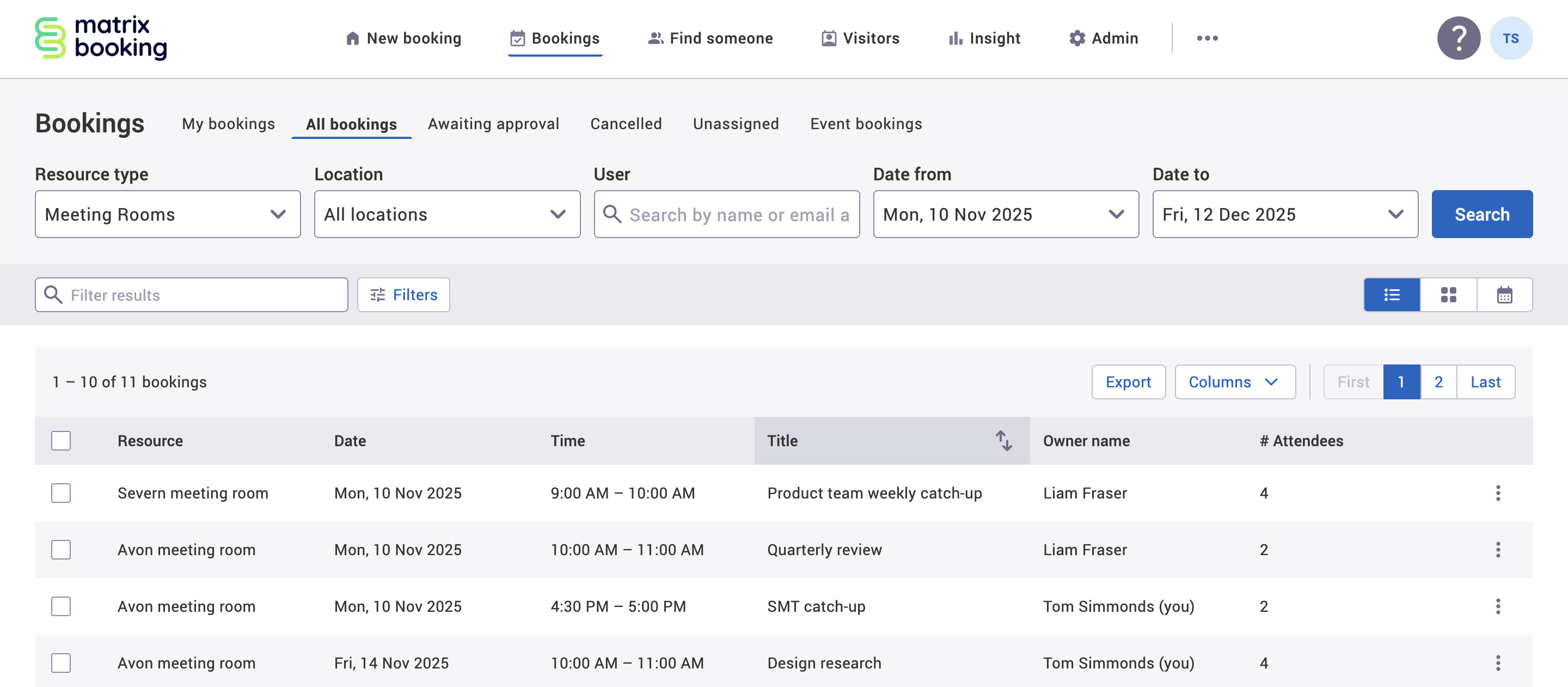
Hover over the column title you want to sort your bookings by (for example, Title).
-
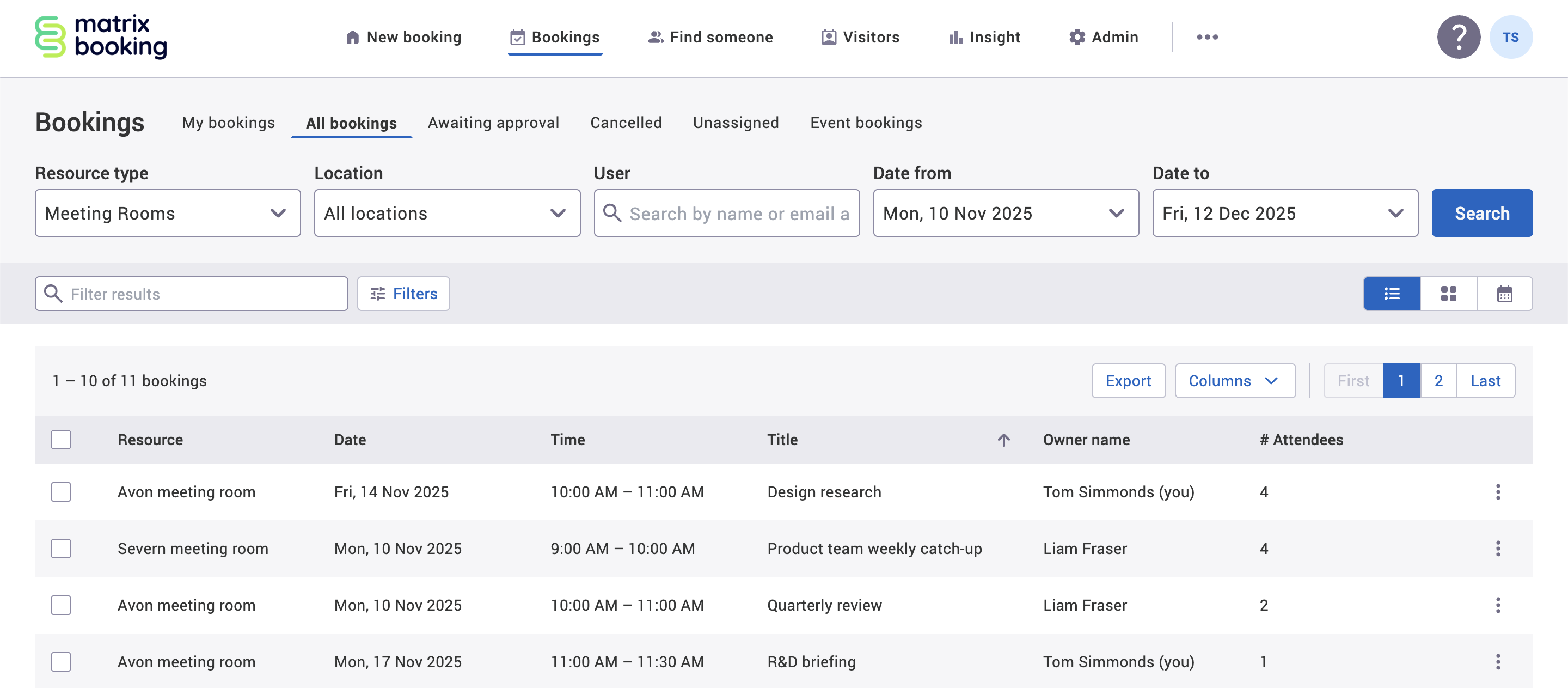
Select the up and down arrows button that appears. This will change the order of all the bookings to an ascending order (for example, alphabetical) represented by the up arrow button.
-
Select the up arrow button to change the order of the bookings to a descending order (for example, reverse alphabetical). This change will be represented by the down arrow button.
-
Select the down arrow button to change the order back to the original order (most likely date order).