
Problem / Question
-
Can a user be registered to more than one organisation?
-
What if the user has been deactivated on the old organisation?
Solution / Answer
No, a user can’t be registered to more than one organisation with the same email address.
If the user has been deactivated in an organisation, the email address used to register them with that organisation will still be associated with that organisation. Therefore, it can’t be registered with another organisation.
The only way around this is to ask your administrator for your email address to be changed in their organisation and to keep you activated in their organisation.
Change a user’s email address
To change a user’s email address:
-
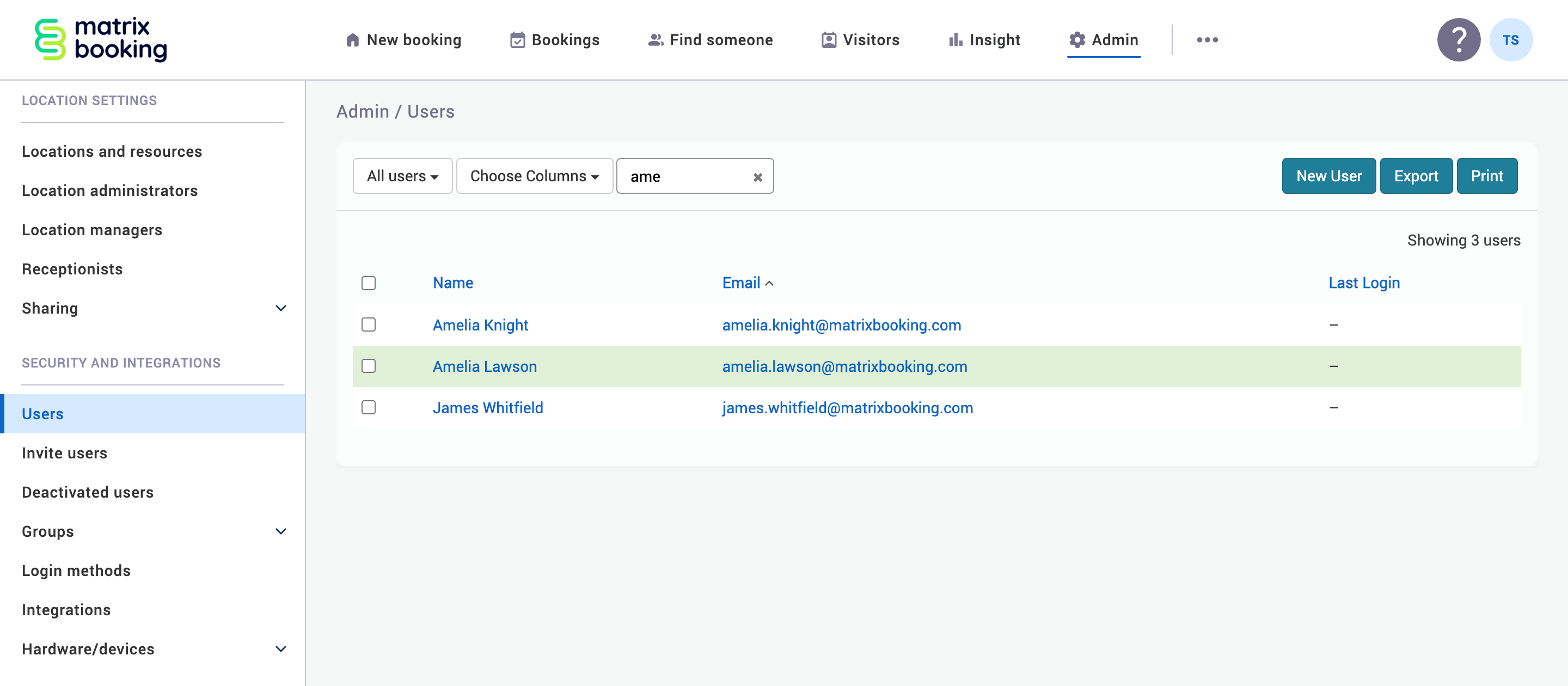
Select Admin in the navigation bar.
-
Select Users under the Security and Integrations section in the side menu.
-
Find the user by entering their name into the Filter search bar.
-
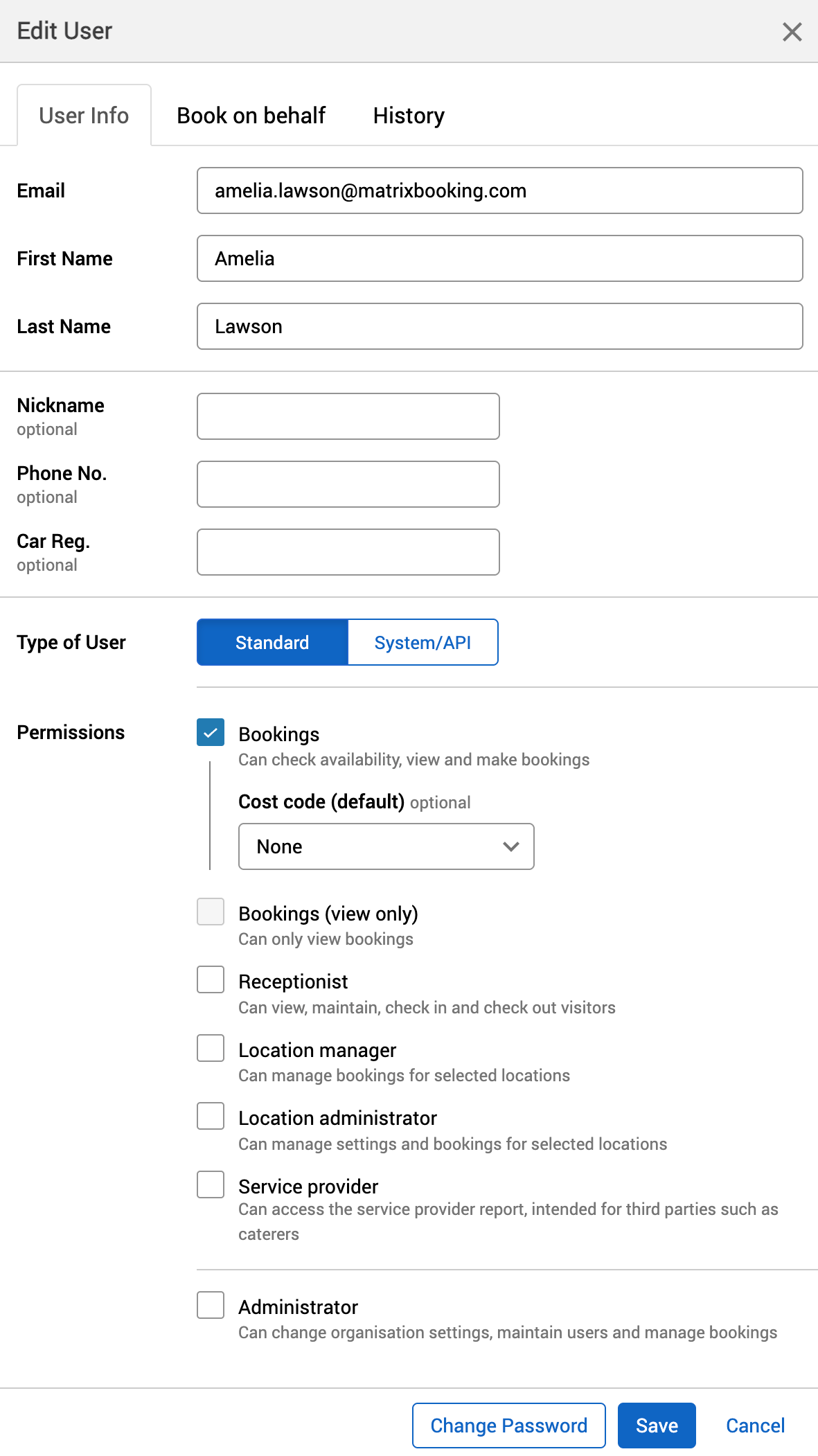
Select their name. The Edit [User] dialog will appear.
-
Amend their email address in the Email text box.
-
Select Save.
If the user was deactivated
If the user has been deactivated, you may need to reactivate them to change their email address so that they can still have their original email address in the other organisation. To do this:
-
Follow the steps above to change their email address.
-
If needed, invite a new user.
Users from Microsoft Entra ID
An exception to this is if you need to do this for a user that is synchronised using Entra ID. If they are synced automatically, you need to:
-
Follow the steps above to change their email address.
You’ll have a small window to change the user’s email address. With Entra ID users, you normally can’t edit their email address.
When the daily sync runs again, the user will be brought back in to your organisation’s directory with the correct email address. If you need to move them to another organisation, you need to complete this step before the daily synch runs.