
Problem / Question
-
Why can't I see neighbourhoods or zones on a floor plan?
-
The floor I’ve selected isn’t showing up as a floor plan. What do I do?
-
I should be able to see a floor plan with the different zones on the floor. How do I change this?
Solution / Answer
Search for resources with multiple floor plans for a floor
Your organisation may have different floor plans for the same floor (for example, a different floor plan for the First floor for different days of the week). This affects the way in which you search for your resources. If you search the location at the building level, the search will return the first available floor plan in the floor plan view (for example, Ground floor instead of First floor (Wed)). This might not be the floor plan you need or should be using.
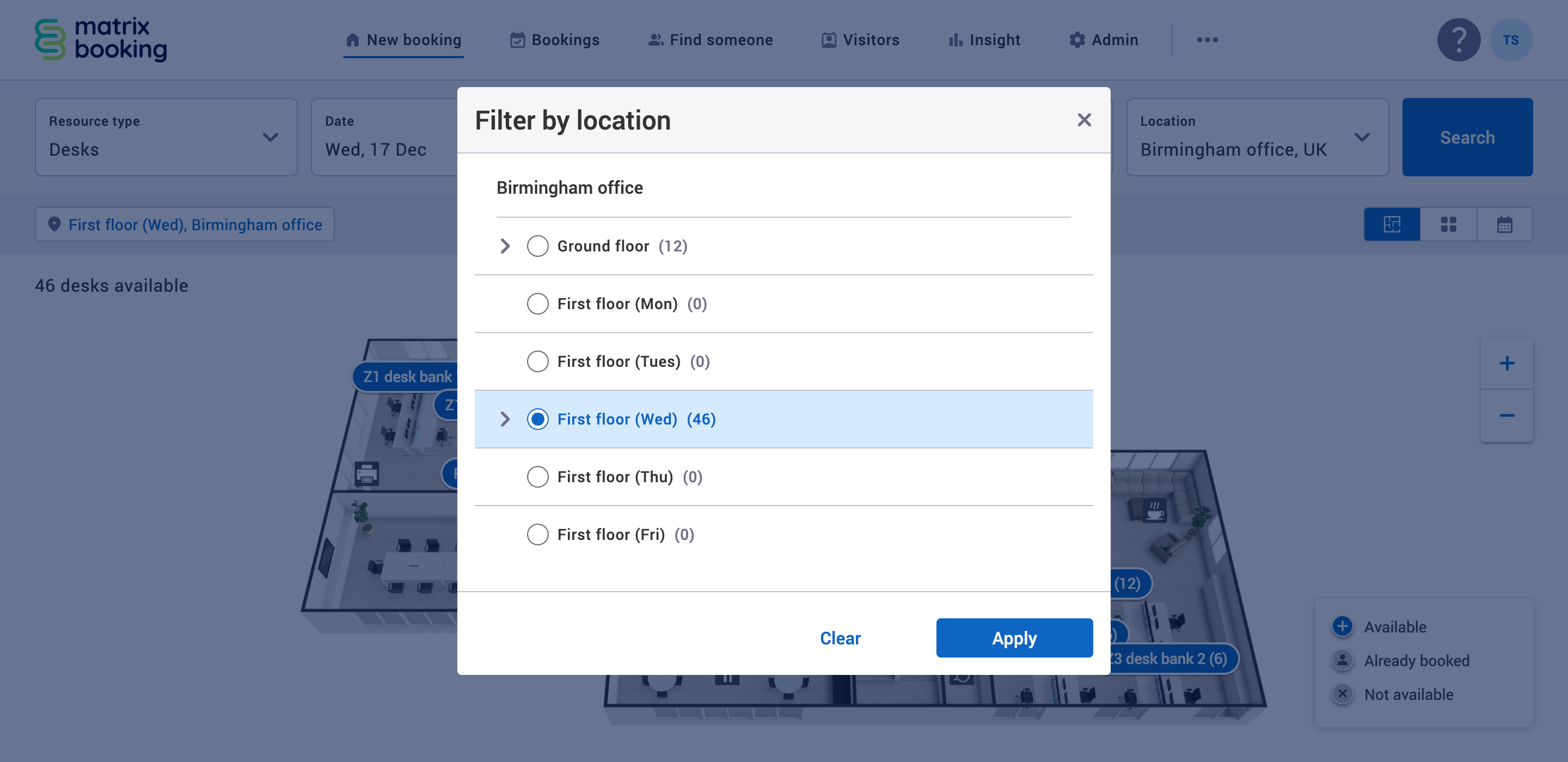
Having more than 1 floor plan for a floor changes how you search for resources. If each floor has different office hours for each day of the week, the date picker and the Filter by location (which is different to the Location dropdown next to the Search button) become linked.
For example, if you want to search for a desk on a Wednesday in the Birmingham office on the First floor, you need to:
-
Select New booking in the navigation bar.
-
Select the day of the week you want – in this case, Wednesday.
-
Select the building where you want to book your desk – in this case, Birmingham office.
-
Select the Location filter. The Filter by location dialog will appear.
-
Select the floor where you want to booking your desk – in this case, First floor (Wed).
Warning: if you use the Location search parameter dropdown instead of the Location filter, the wrong floor may get selected which will result in no floor plan being displayed.